I need to perform an analysis of receiving data which includes the year and the week of the receiving data in the format yyyyww.
Following steps have been done so far:
transform data from number to string (number to String Node)
separated year and week with the String manipulation node and added a W to the number of the week and a -1 to create a day in the week (recommended hint by MS Copilot)
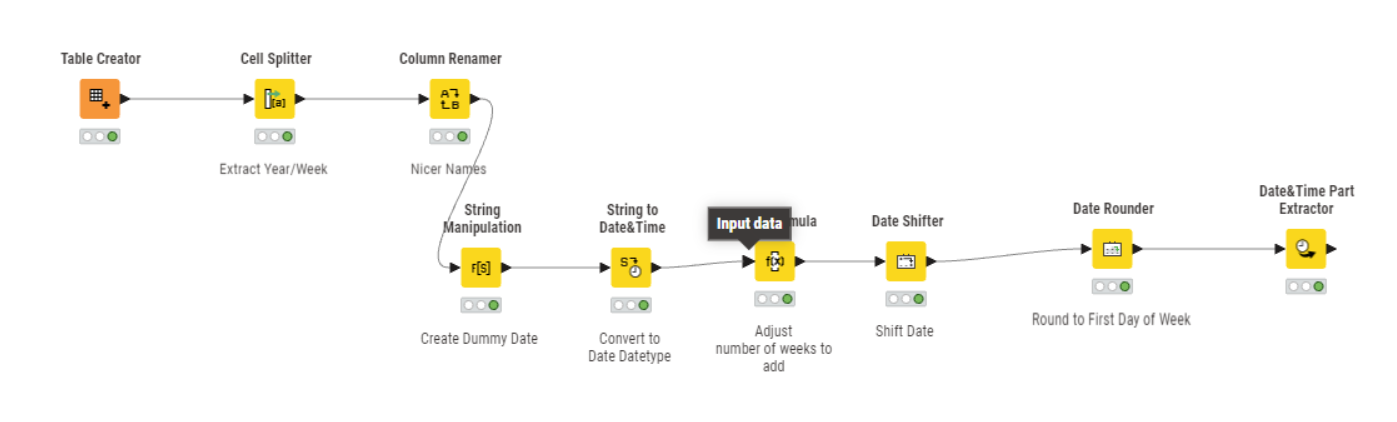
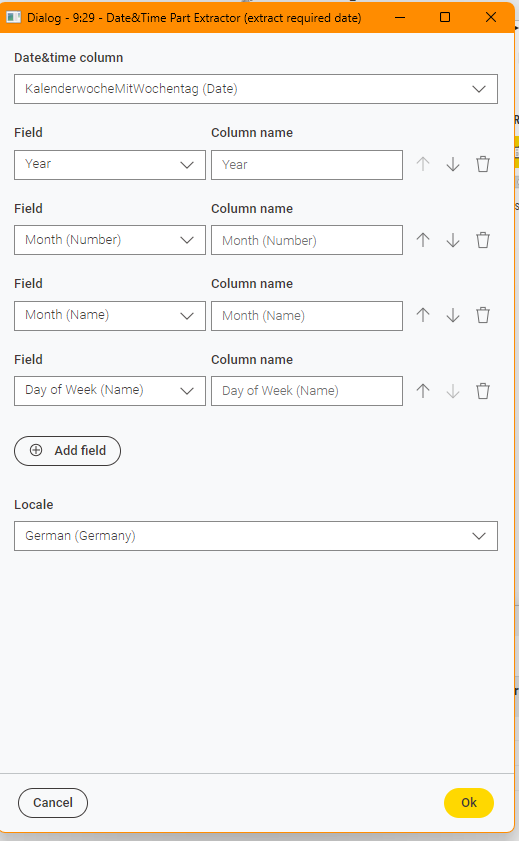
you can extract calender week and year information with the “Date&Time Part Extractor” and “glue” everything together with the expression node (or if you like “string manipulation”)
thank you for your fast reply. I have been trying to aply the Date&Time Part Extractor but my problem is that my column “LieferwocheLocalDate” does not contain any data which could be extracted. The String to Date&Time does not convert the string 2025-W02-01 to a format which can be further used.
Hi @GHoertner , what is the end result you are trying to get to? Is it an actual calendar date derived from the first day of the stated week, or something else?
In the end I need a month to be able to analyse supplier data on a monthly basis. Based on the available information/data (and the fact that I started my KNIME journey just a few days ago) I thought the way I started out was a capable one to get me a year and a month.
Hope this helps - but anyway thank you for responding
Hi @GHoertner , the workflow from @ActionAndi should do what you require as you can retrieve month from the Date&Time Part Extractor, but as you are now saying you specifically want the month, you may find you need to adjust the date rounding a little as otherwise the first and last weeks of the year show incorrect months.
As is often the case, there can be several ways to achieve the result, and it’s nice to have options. Ultimately use whichever you are comfortable with.
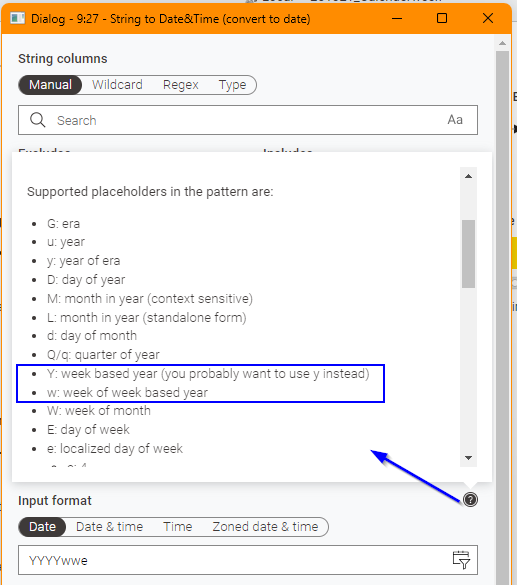
I had a look to see if the String to Date&Time node could return you a date based on year and weeknumber if we also appended a weekday. It isn’t something I’ve seen commonly mentioned, but String to Date&Time can handle week-based years and week-numbers provided that an entire date (including day) can be inferred.
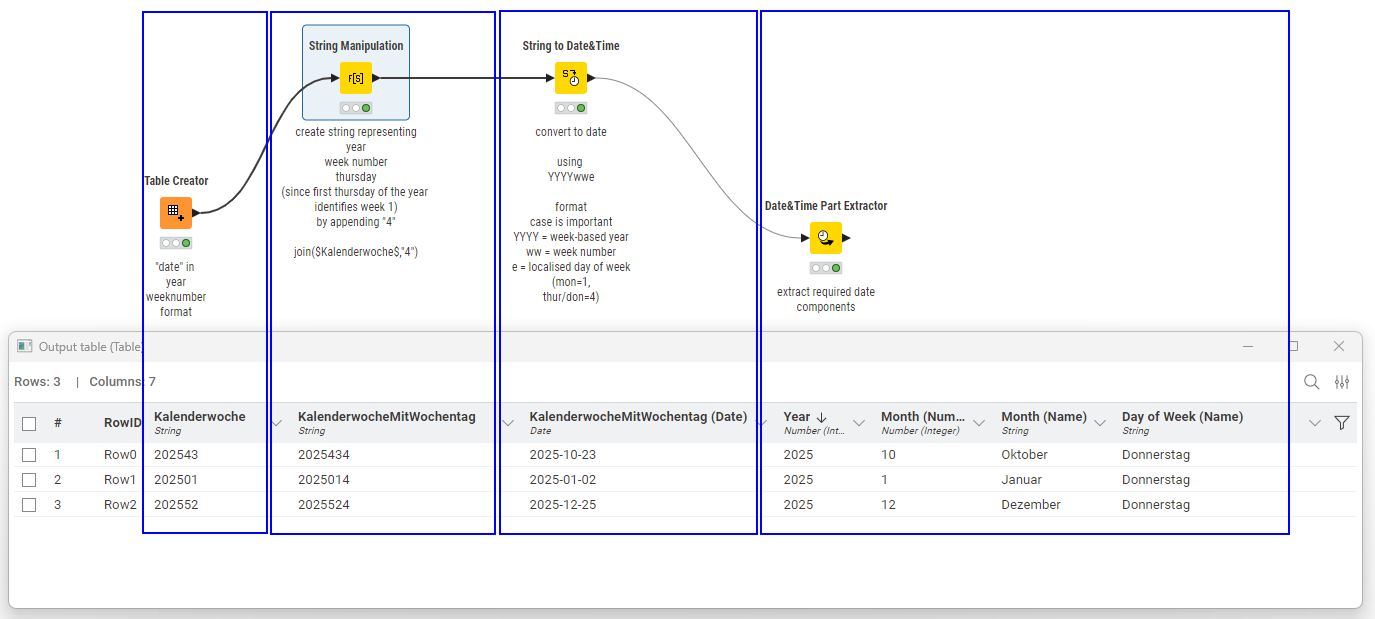
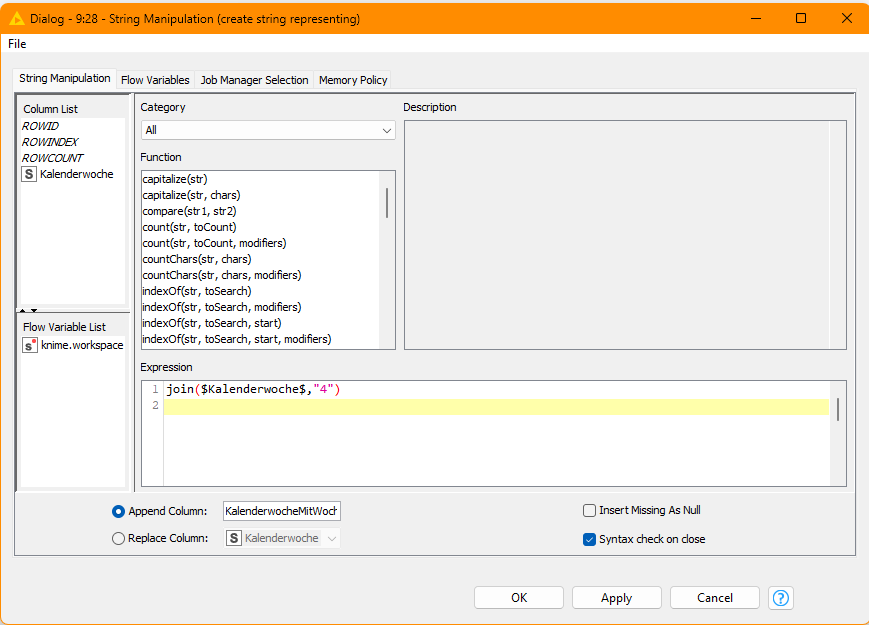
So (borrowing @ActionAndi’s example dates), if you have week 43 of 2025, represented as 202543, and you then append the weekday number for Thursday (because the first thursday of the year identifies week 1), which is weekday number 4, you have 2025434.
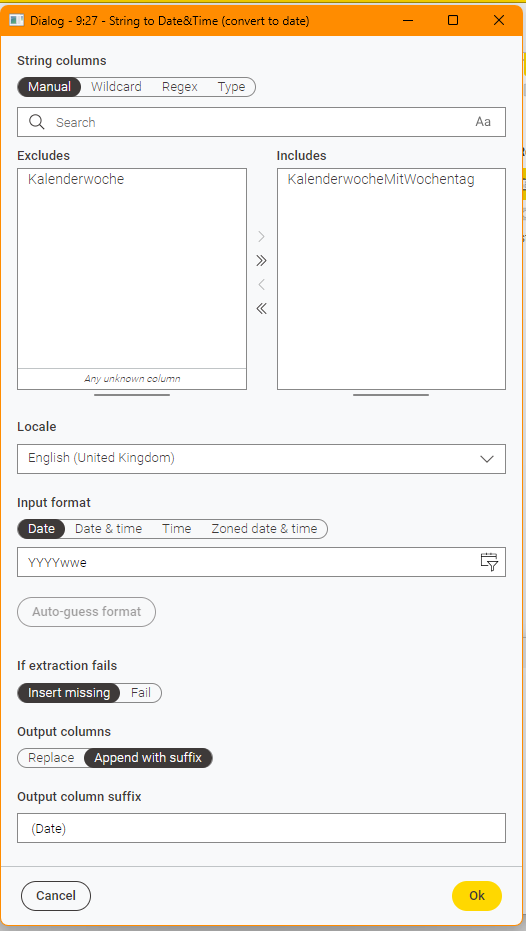
You can then use String to Date&Time with a format mask of: YYYYwwe
(the case of the format mask is very important here because the usual lower case yyyy represents a regular calendar year, but YYYY represents a week-number based year)
and 2025434 will be translated using YYYYwwe as 2025-10-23, and you can then use Date&Time Part Extractor to return the month component of that date
I don’t think I’ve ever actually used it before either, and initially I didn’t get it to work until I realised there was a dedicated year-format (YYYY) that has to be used in conjunction with it.