I need your support on a new requirement we have received. We have a defined column called “Sum up values”, where the formula should automatically calculate the sum of the previous 12 month columns.
Example:
Our dataset contains monthly columns starting from 1st Dec 2024 to 1st Jan 2026.
For the current month (1st Jan 2026), the formula should sum the previous 12 months, which means it should consider the columns from 1st Feb 2025 to 1st Jan 2026, ignoring 1st Dec 2024 and 1st Jan 2025.
Similarly, when we move to the next month, the calculation should shift by one column.
For example:
Hello @Madhu_Sudhan
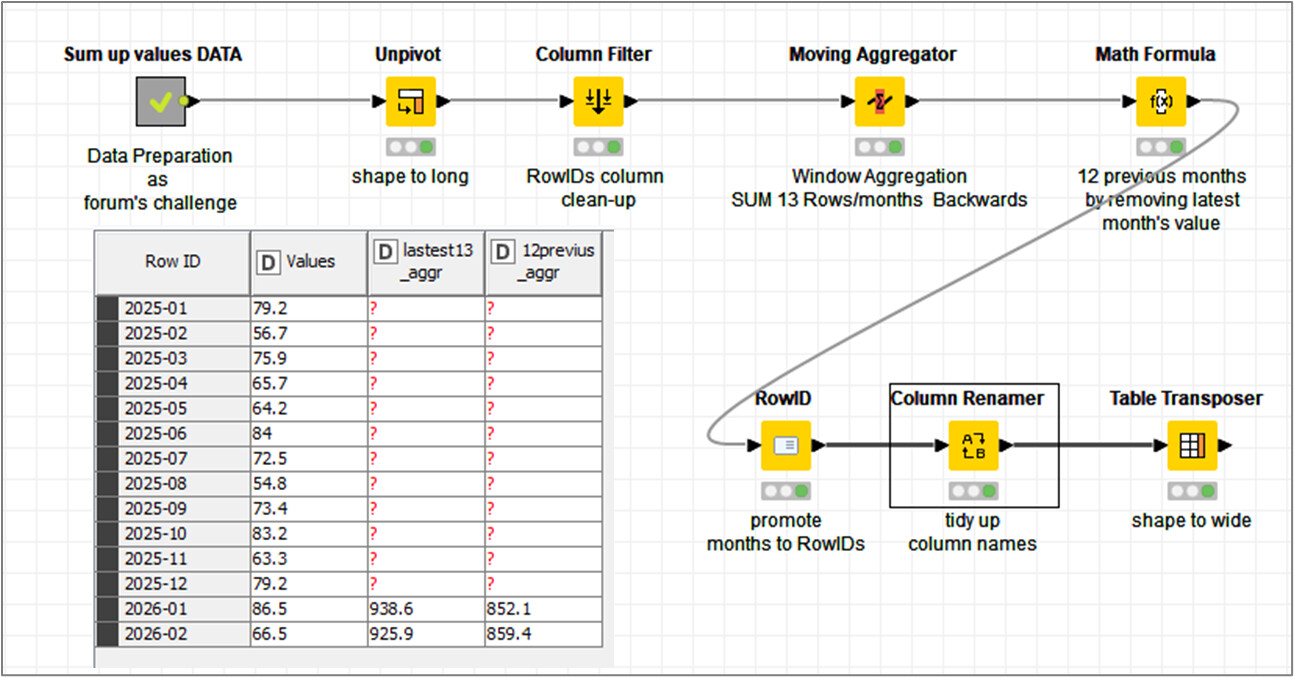
There are few ways aiming to achieve the expected results. I guess the simplest one would be by using the ‘Moving Aggregator’ node, stepping on window aggregation function.
Aiming to achieve more complex dependencies on aggregation ranges I would suggest some coding within ‘Column Expressions (legacy)’ node.
@gonhaddock Moving Aggregator node to my knowledge can’t do this as it’s intended to work on a row level. Column Aggregator is the one to use but there you can’t configure it to always use last 12 columns. At least not without flow variables. Column Expressions (legacy) is a valid (and simple) option as it can access column based on index but being legacy it’s not part of standard build and many (new) users are not aware of it or don’t want to use it.
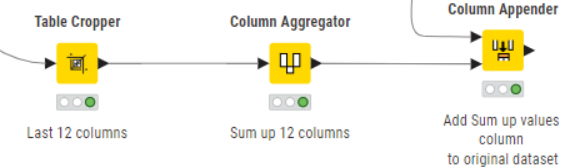
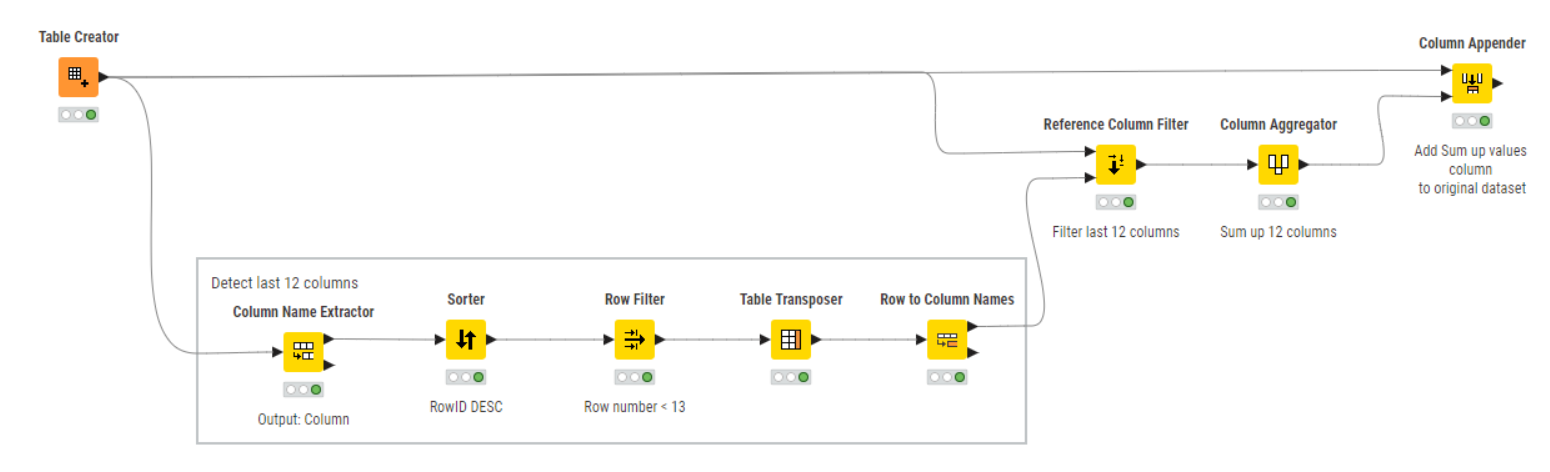
@Madhu_Sudhan anyways idea is to detect last 12 columns and then use above mentioned node - Column Aggregator to sum up those 12 columns. After detection you need to use Reference Column Filter node to leave those 12 column from original dataset and then append calculated Sum up values column to it. Alternative approach (after column detection) is to create array flow variable holding those 12 column names and then parametrize Column Aggregator with it. Might save you couple of nodes.
Take a look at this workflow design and give it a try:
@ipazin
It sounds like a challenge … ‘window aggregation function’ is the key; unfortunately I haven’t time to test it right now.
It’s been included in my ‘things to-do’ list.
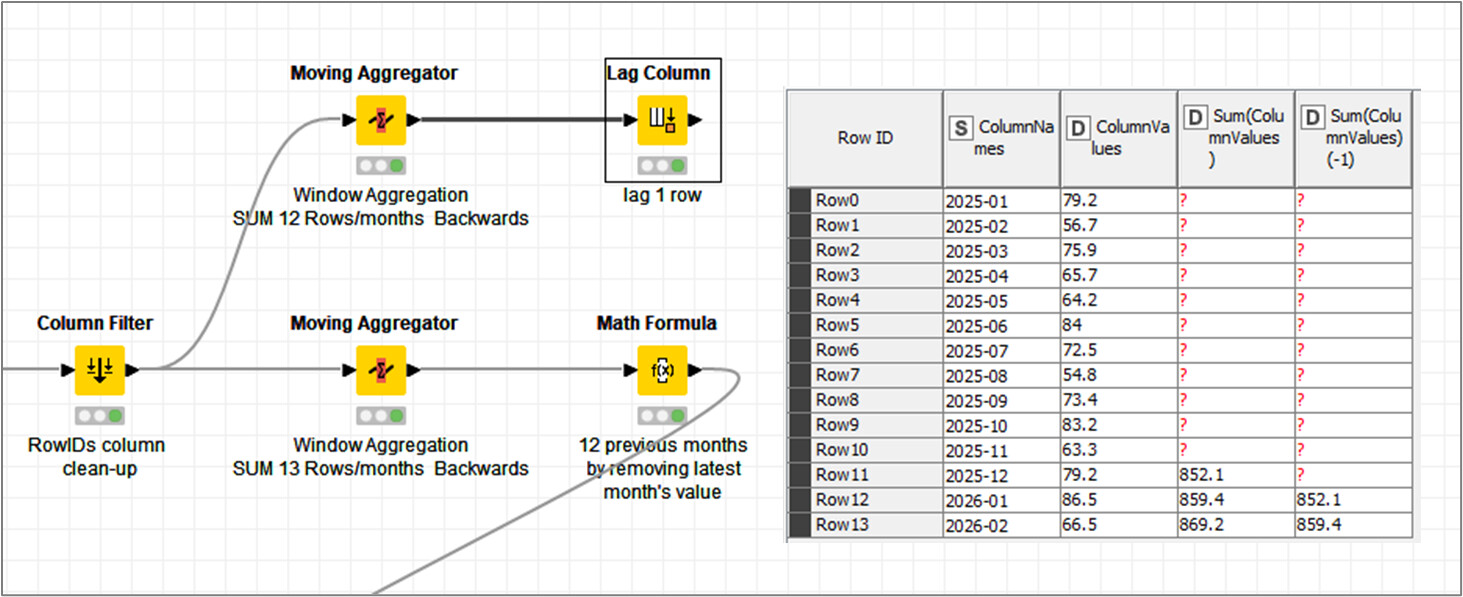
You don’t need to shift column ranges manually. The simplest way is to reshape the data so months are in rows with a proper date column, then use the Moving Aggregator node with a trailing window of 12 and Sum as aggregation. It will automatically calculate the latest 12 months and keep shifting as new months are added.
Hello @Gergelysa1
That’s the idea. But in terms of simplicity for ‘12 previous months’ you will have to compute a 13 rows window, and then compute the current month difference in a ‘Math Formula’ node afterwards.
@nan Table Cropper node sounds like a node for this job but couldn’t configure it to always take the last 12 columns. What’s the proper configuration?
Ivan
hello all, Thank you very much for your continued help and support.
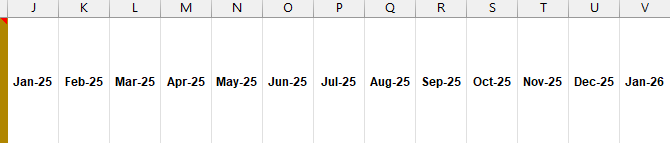
Currently, the monthly data columns start from column K and extend to column V. Each month, an additional column is added (for example, next month it will extend to column W, and so on).
The summary column should always be positioned immediately after the latest monthly column and should calculate the total based on the previous 12 months only. Additionally, there are other data columns that follow after the summary column.
Please let me know if any clarification is needed.
Select Column range by number. Then, there are checkboxes to count from the end of the table instead of from the first. Check that for both start and end column. Start column=12, end column=1.
Don’t have the time to double check, but ±1 this should work.
Will this always be column K or is it possible this will shift. Is there a specific format how the columns you want to aggregate the last 12 columns are being identified since they might shift positions.
Mabye you can provide a sample file that would represent your complete challenge and ideally a file that will represent the desired output.
You mentioned additional columns. They might have to be preserved.
 … ‘window aggregation function’ is the key; unfortunately I haven’t time to test it right now.