Good day. Referencing the Example Workflow “05_TableDifference_Finder” (Table Difference Finder – KNIME Community Hub) in v 5.8, the node outputs two columns of type “data cell” (Value Compared Table and Value Reference Table) that are not supported by Excel or CSV Writers, or expression nodes. What do I need to do to output or further parse the differences found?
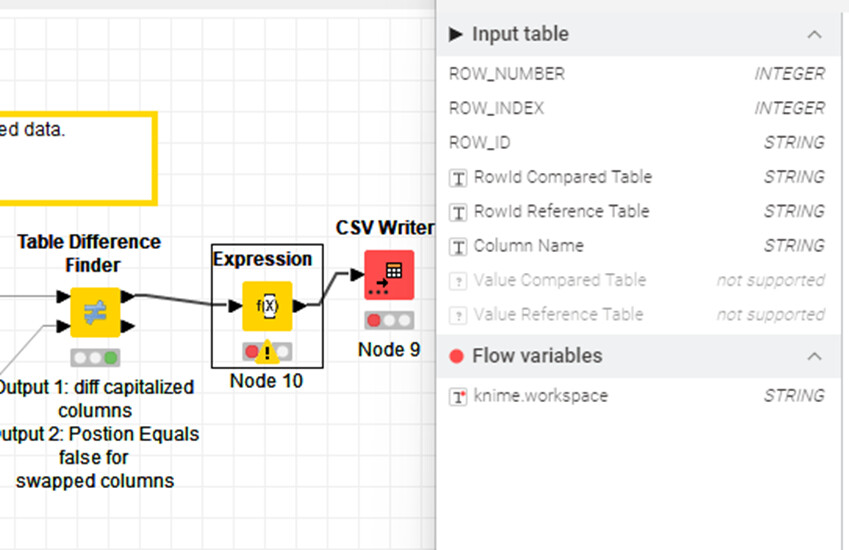
Try the Column Auto Type Cast node.
I have tried that, but seems to make no difference:

The data after the auto-type cast node sill has columns of type “data cell”

Can you share your workflow with data?
just cast them to strings.
this happens because the node mingles everything into 1 column (per table).
if the table difference node finds e.g. a difference in a string column, and later a difference in an date column (or any other, non-string datatype), it throws all of them together into one.
and that results in “data.cell” without a proper datatype
1 Like
05_TableDifference_Finder.knwf (460.6 KB)
Not sure how to “cast” the two columns to string since they are unsupported type I can’t include them in an expression and the auto type cast is not doing the trick either.
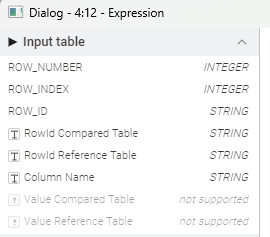
Again, I’m using v 5.8.2 LTS and the example workflow from the “community”, which ended at the “table difference finder” node. I’m now trying to get the differences out of that node to something downstream that I can work with. Either a CSV or Excel writer, or an expression node to parse through, etc.
Use Column Expressions node(s) to convert DataCell columns to strings. You can convert these strings to numbers if necessary.
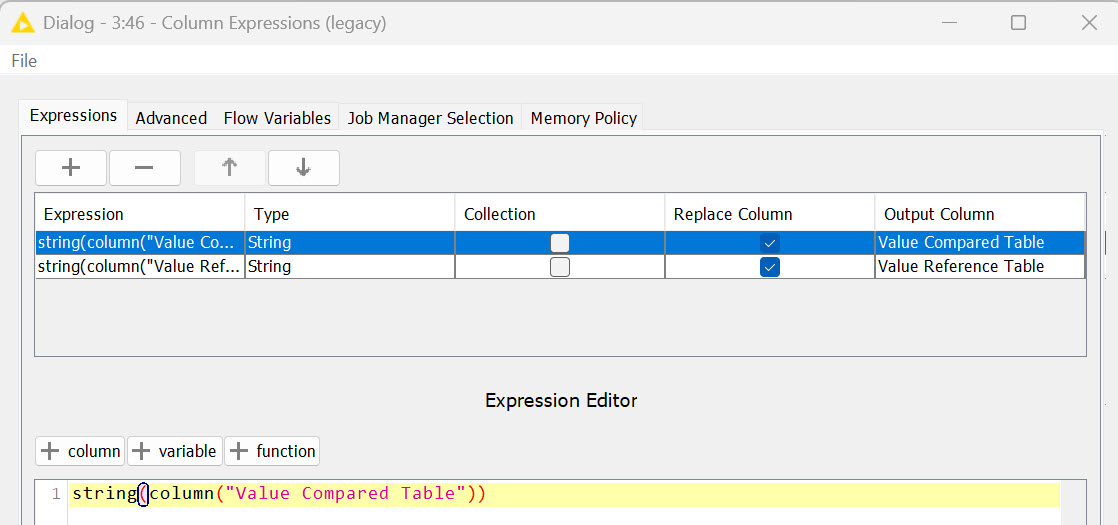
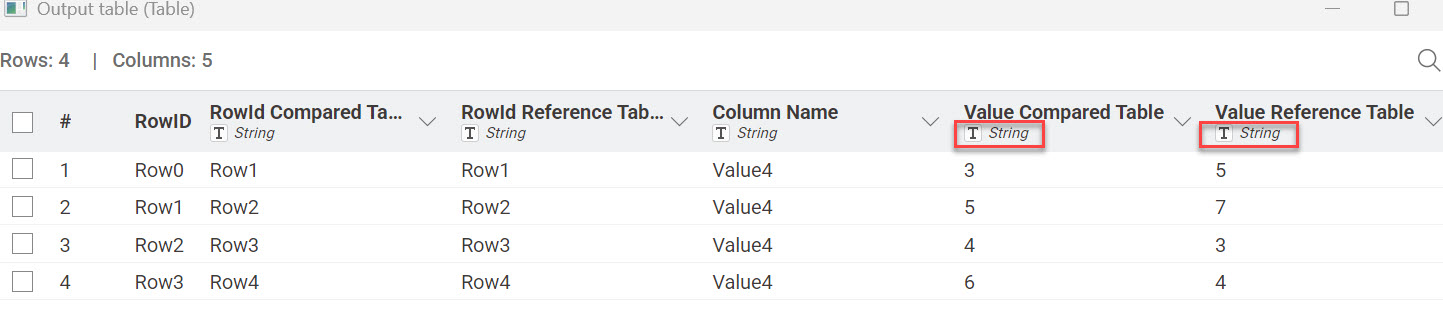
Hello there,
Table Difference Finder by default outputs Value Compared Table and Value Reference Table columns as DataCell types. Then I use String Manipulation node (two times as Multi Column can’t handle DataCell type) to cast both columns into string as usually I have strings and numbers in columns I compare. It would be nice to have column type determined similar as in Rule Engine node - “The type of the outcome column is the common super type of all possible outcomes…”
Br,
Ivan

The String Manipulation node certainly works. The advantage of the Column Expressions node is that you can configure both columns in one node rather than having to use two String Manipulation nodes.
1 Like
Cool, that you found a solution. But… wouldn’t it be better if the Table Difference Finder Node would not export such exotic data type columns?
1 Like
This topic was automatically closed 90 days after the last reply. New replies are no longer allowed.