Read this post from several years ago. I don’t think anything has changed so there’s no clean way to do what you want.
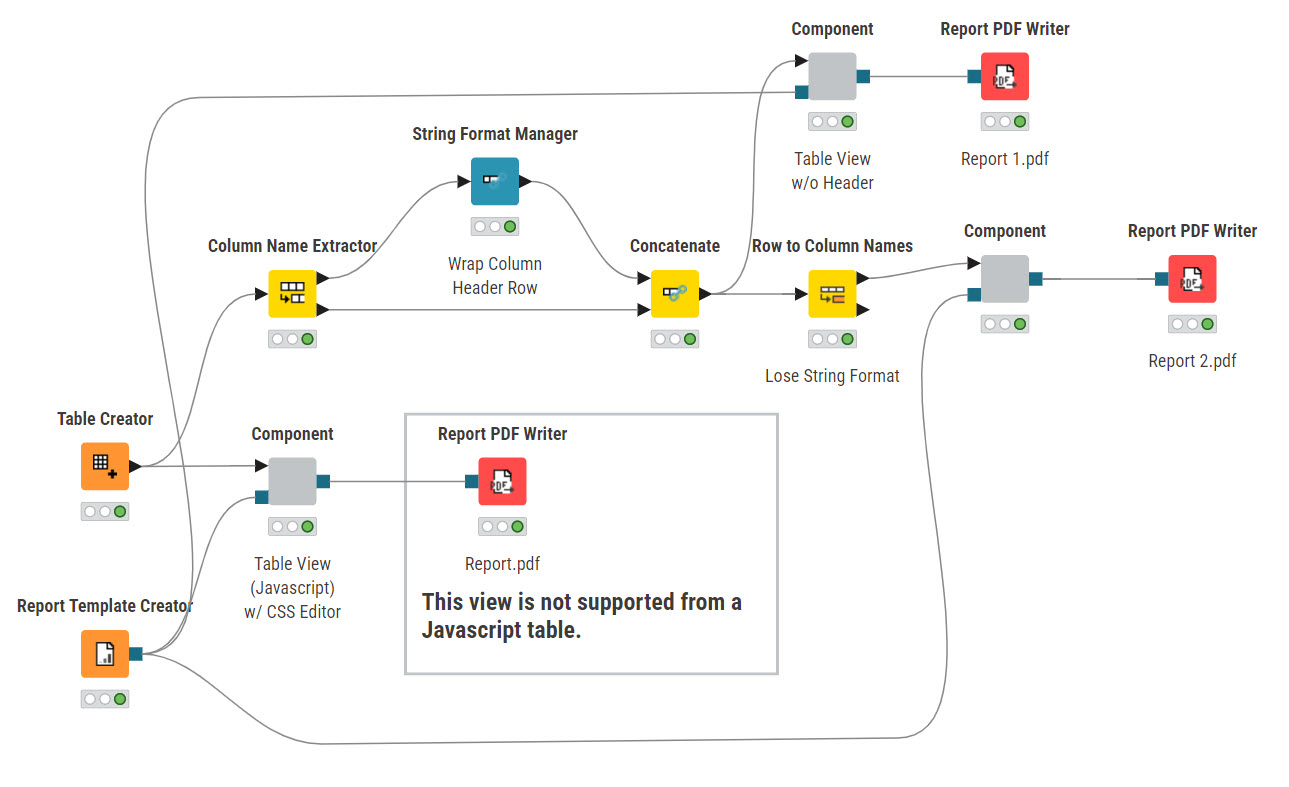
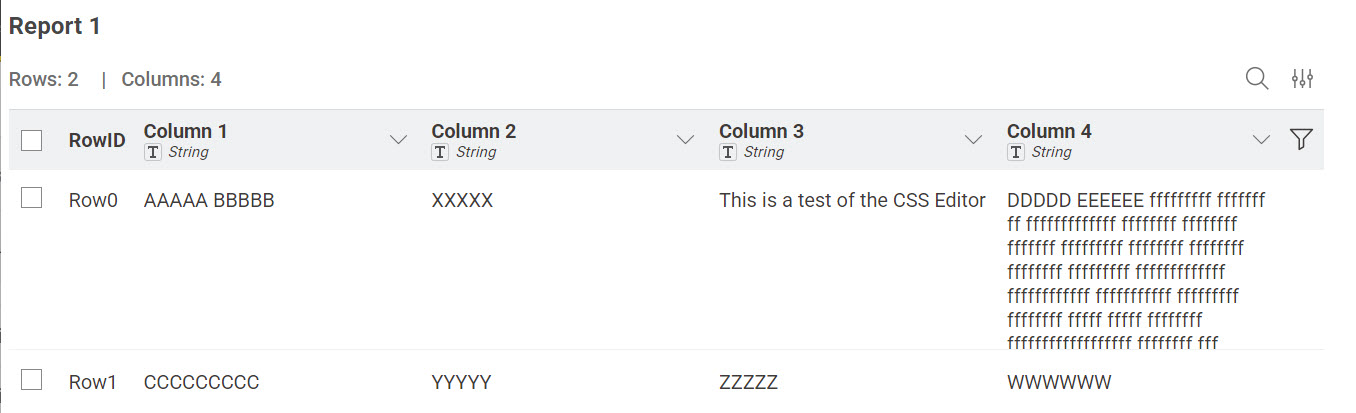
Here’s a workflow that has a very crude workaround if you can live with the header being in the first data row. The String Format Manager node only changes the data display not the underlying data. It does not directly manage a header which is why I converted the headers to strings. The data is just random junk. As to your second issue you might try a Text View node with several blank lines between your data tables.
Table View w Header Wrap.knwf (373.0 KB)