Description:
When editing the python script node with multiple input tables, the table data previews at the bottom of the Python Script window not only have table numbering starting at zero instead of 1 but they are also in reverse order which is very confusing.
Steps to reproduce:
(example workflow attached)
- Create a workflow in 5.8.1
- Add 3 Table Creator nodes, and give each some recognisably different data and with different column names
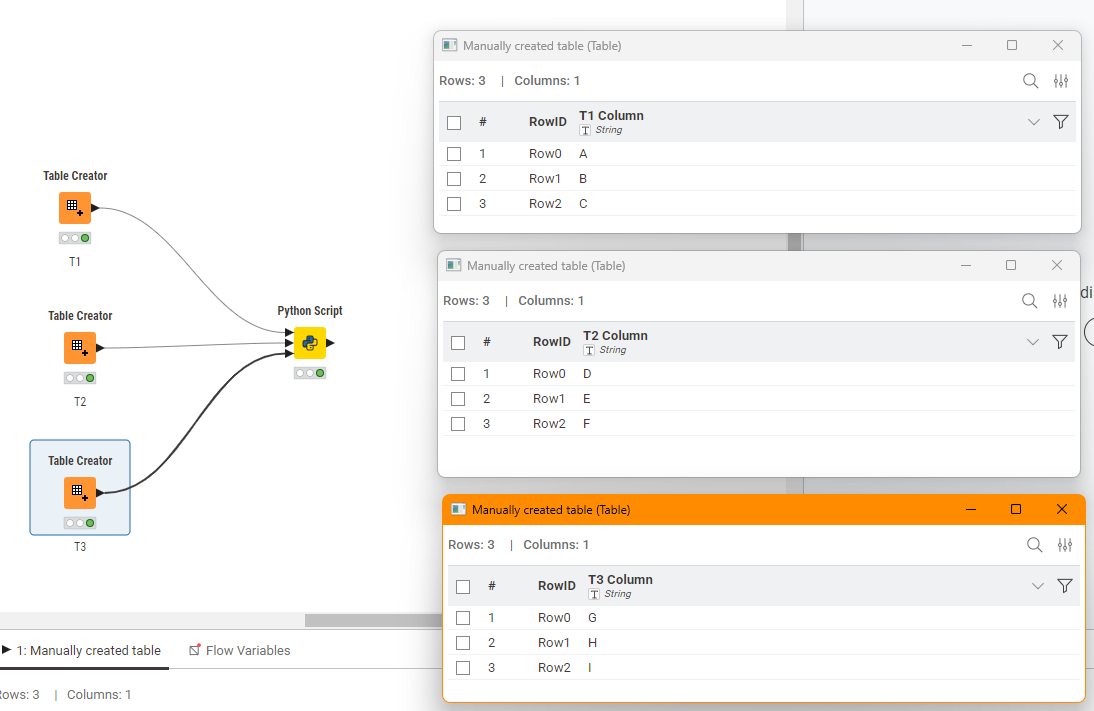
- Attach all three to a Python Script node
- Open the Python Script node config
- Observe the order of tables on left panel with order of tables in lower panel
Actual results:
With my three input tables:
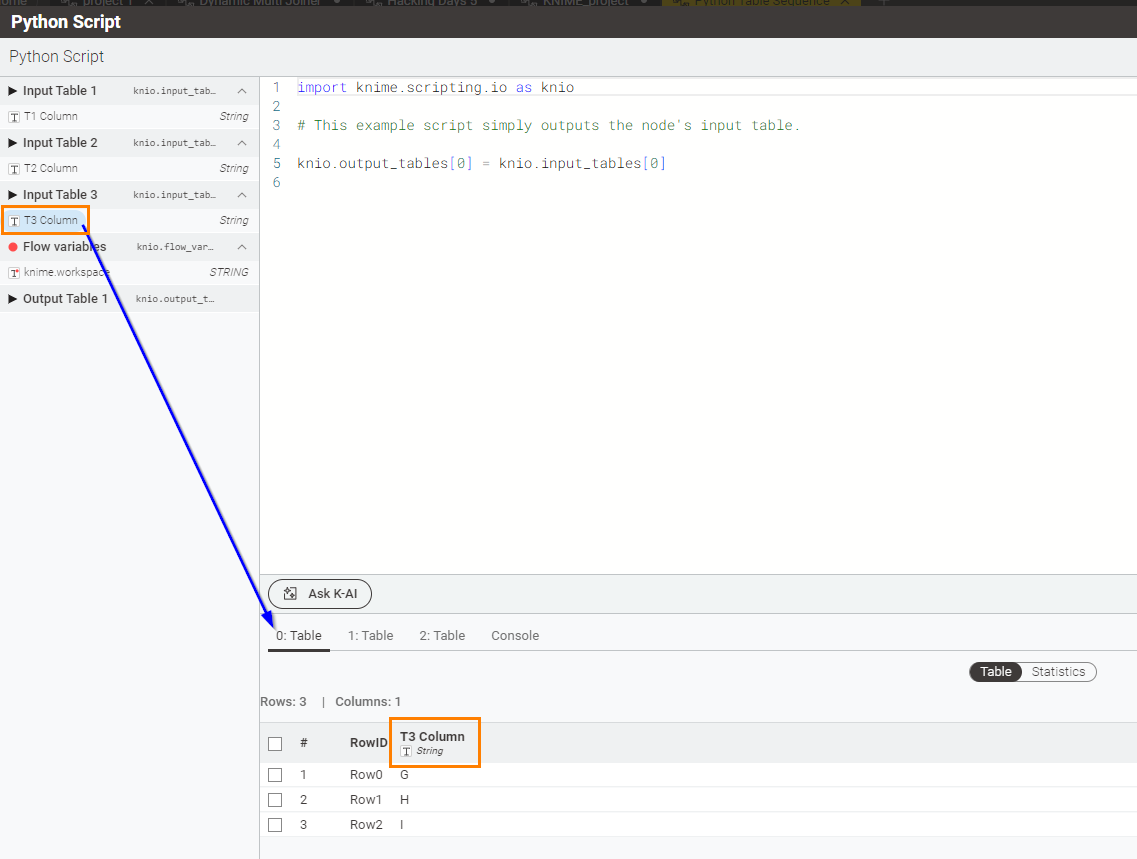
Input Table 1 on the left is displayed as 2: Table at the bottom,
Input Table 2 on the left is displayed as 1: Table at the bottom,
Input Table 3 on the left is displayed as 0: Table at the bottom,
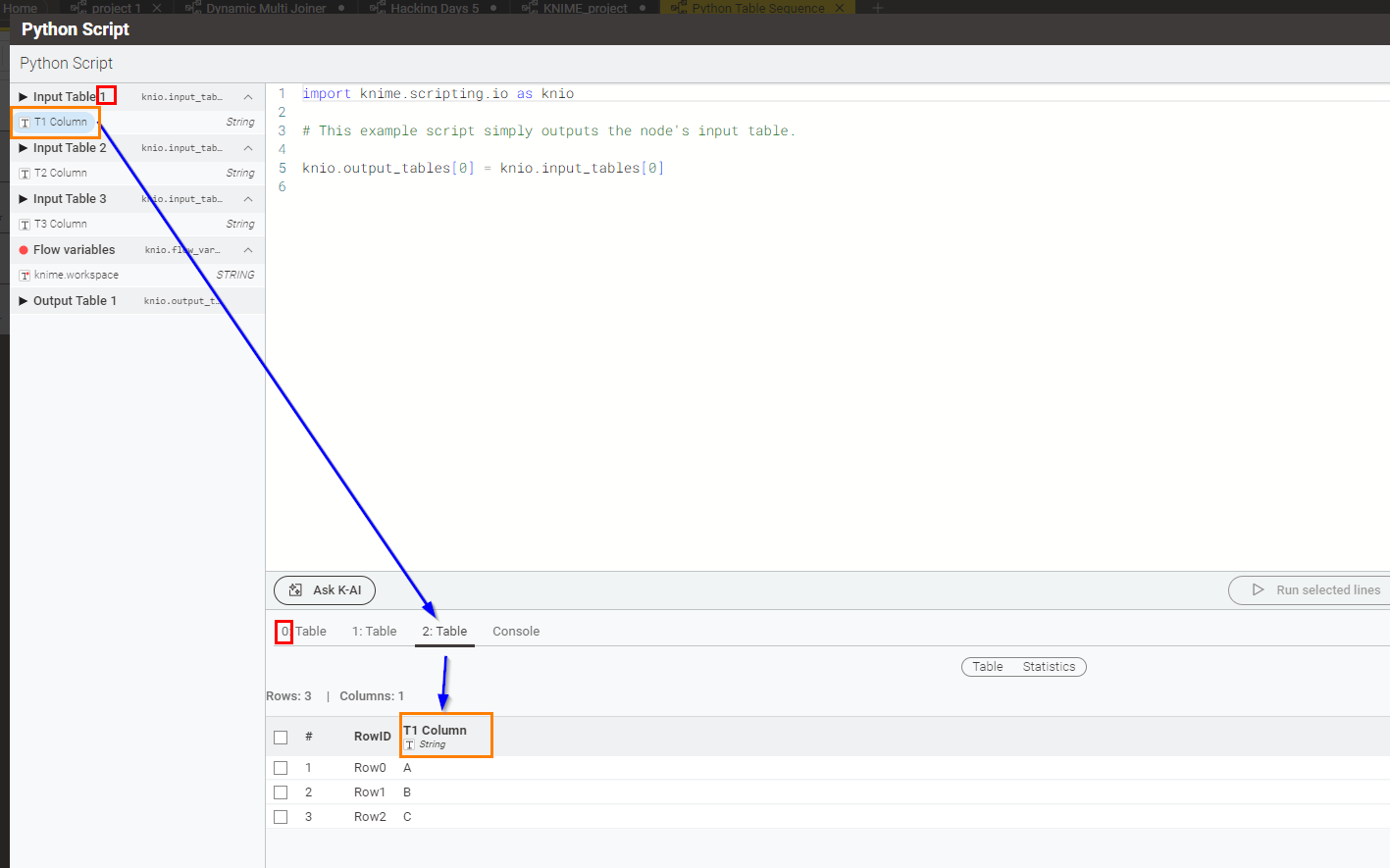
Input Table 1 on the left is displayed as 2: Table at the bottom,
Input Table 2 on the left is displayed as 1: Table at the bottom,
Input Table 3 on the left is displayed as 0: Table at the bottom,
Expected results:
The tables to be in the same order, not reversed, and given that they show the index numbers of the tables (0,1,2…) these should then match the index numbers for those tables in the input tables collection.
Also, the tables on the bottom should have within their name the number of the table shown on the left. I understand the reason behind showing the numbering starting at 0 instead of 1 because this should match the python table collection index numbering. but could the tabs at the bottom not at least be:
0: Table 1
1: Table 2
2: Table 3
That way we can match to both python index and the table numbers shown on the left panel?
Attachments:
Python Table Sequence.knwf (53.0 KB)
OS:
Windows 11