Hello,
I hope this is just a minor problem. Using KNIME, I created several ETL worksheets that transfer data from a REST API to a PostgreSQL database. These are the tables named sen_XXXX.
There are also the tables named “std_” for master data.
I created all the “sen_xxx” tables manually in the PostgreSQL database. I couldn’t find the old “DB Table Creator” node at the time.
The “std_xxx” tables were created using the KNIME “DB Table Creator” node. See Figure 1. Yes, with the old node. The new one is unusable. I can’t figure it out.
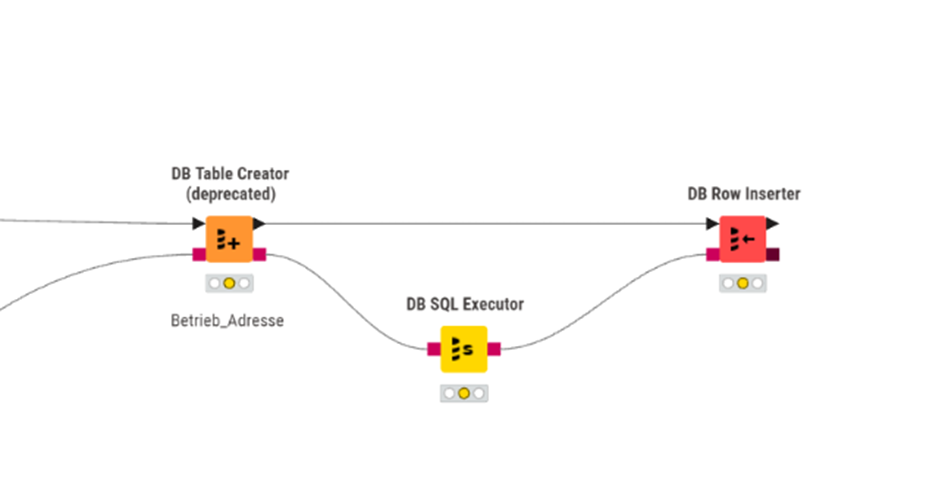
Fig 1
Now that the data is in the database, I wanted to view and test it in ArcGIS Pro. Here’s what I noticed:
All “sen_xx” tables created in the database are displayed on the left in the catalog.
All „std_xx“ tables (created with KNIME) are not. pgAdmin is highlighted in yellow on the right.
It was used with the same login credentials; currently, only the SuperAdmin postgreSQL account is set up.
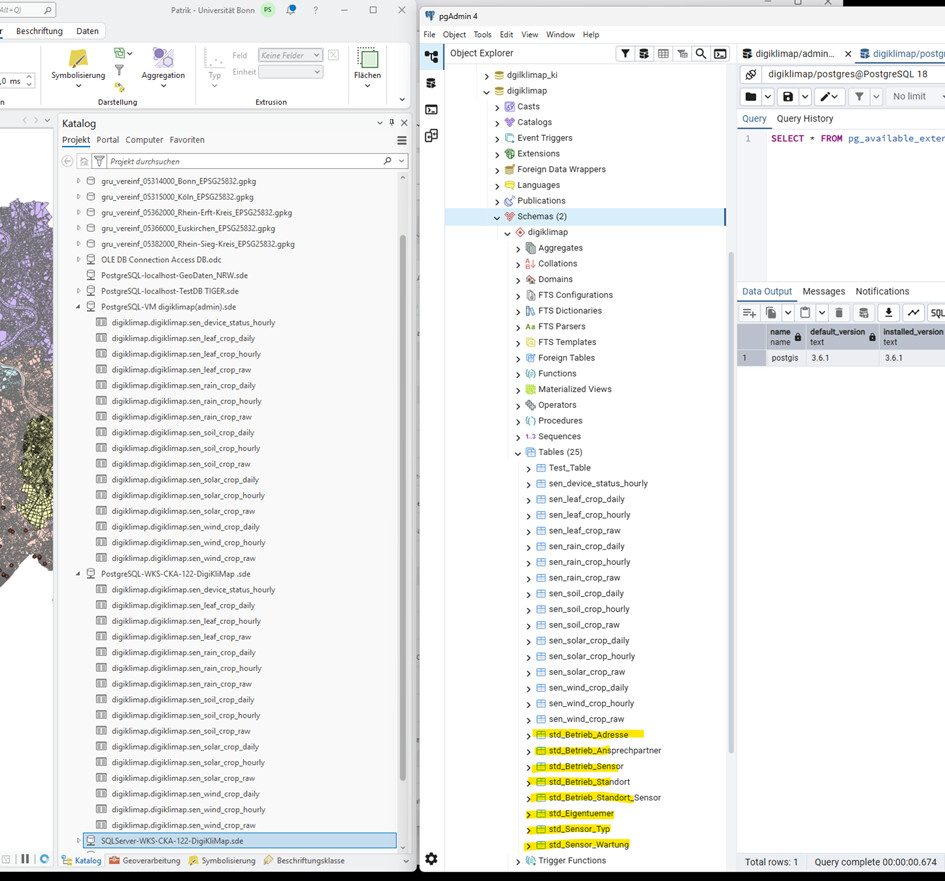
Does anyone have any idea what could be causing this?
Because one of the std_ tables contains the geometry.
Regards,
Patrik