Hi @DinahA.Koehler4 , one method of applying the Rule Engine to multiple columns is to place it between Unpivot and Pivot nodes,
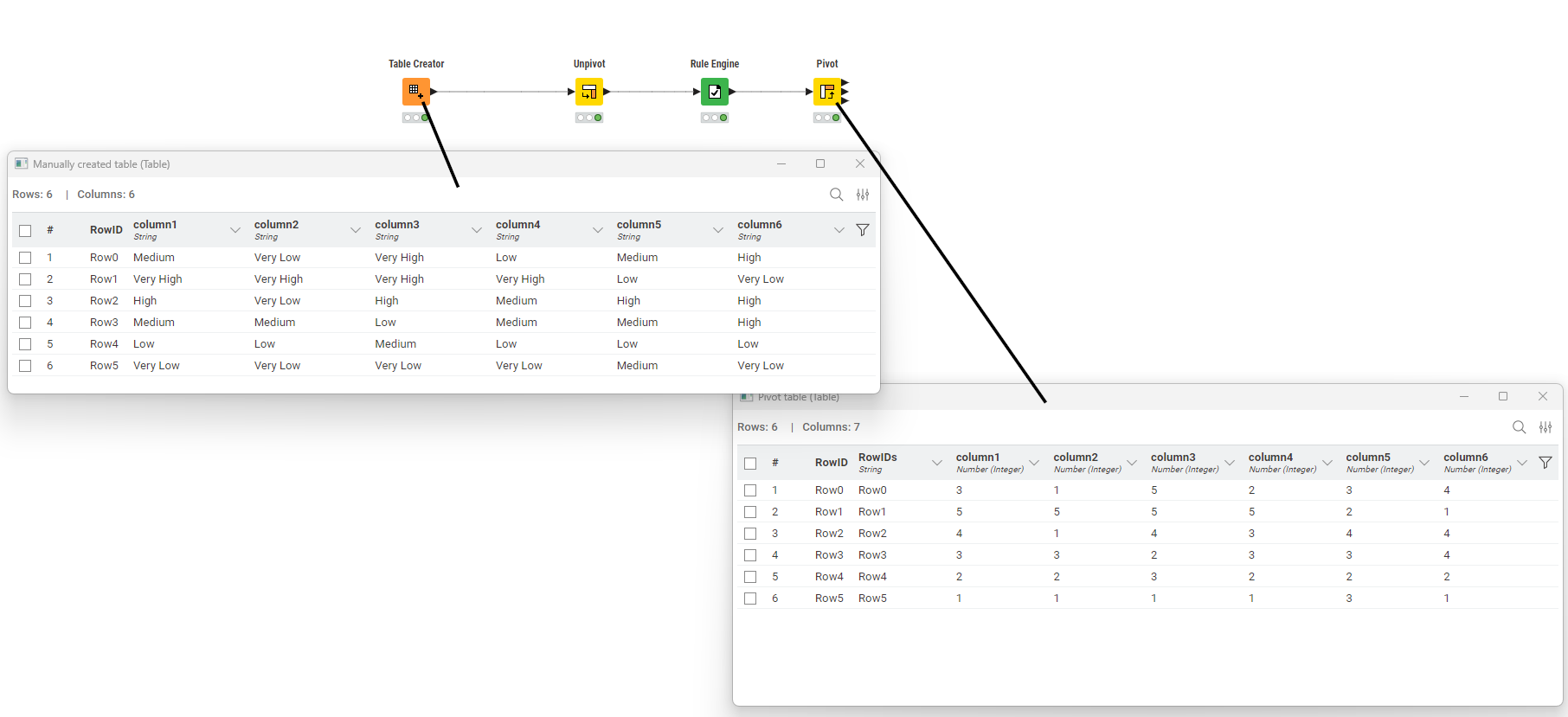
The Unpivot node is set to include all the columns that are to be acted on by the Rule Engine as “Value” columns. If there are other columns that aren’t involved in the Rule Engine, you would include these in “Retained” columns
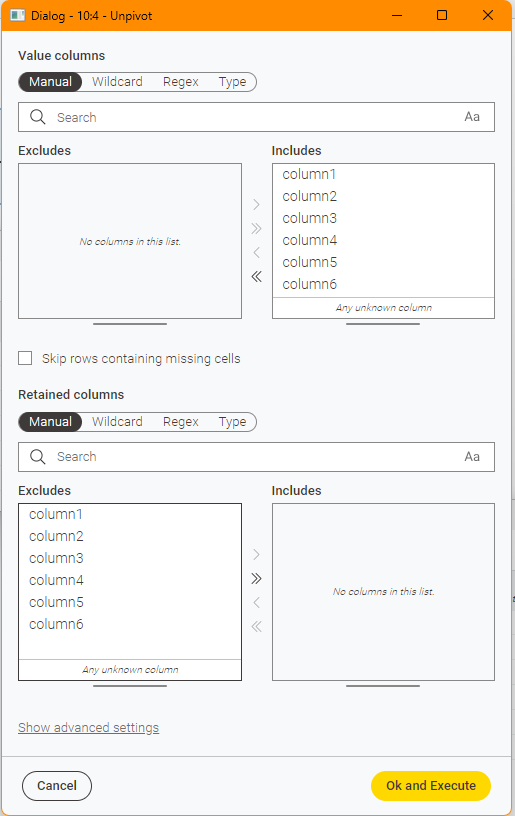
The Rule Engine then acts on the ColumnValues column that is output from the Unpivot
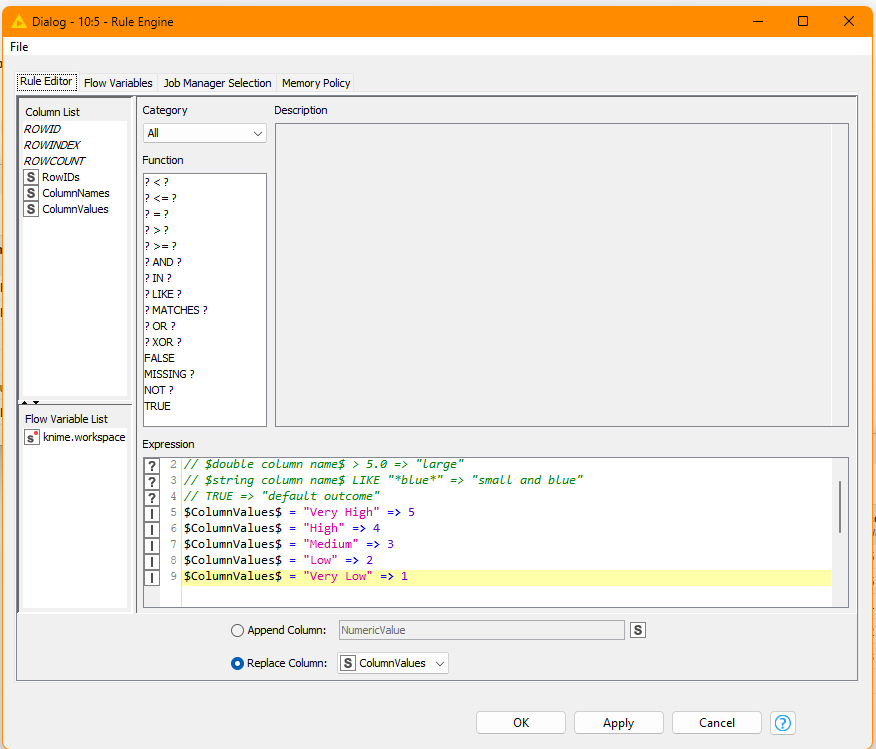
Finally the Pivot node returns the modified version of the table.
Set the Groups as any columns that were “retained”, but RowIDs can work by itself if there were no other columns
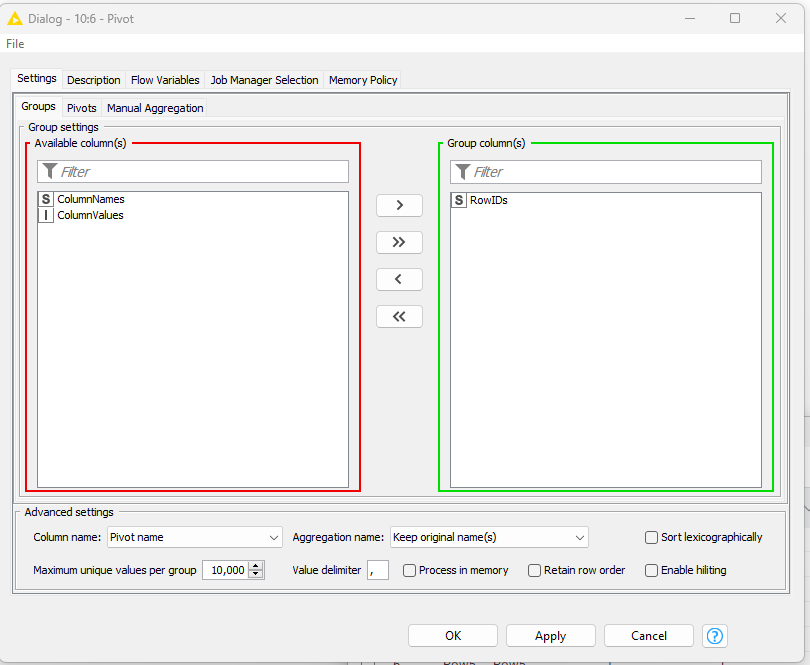
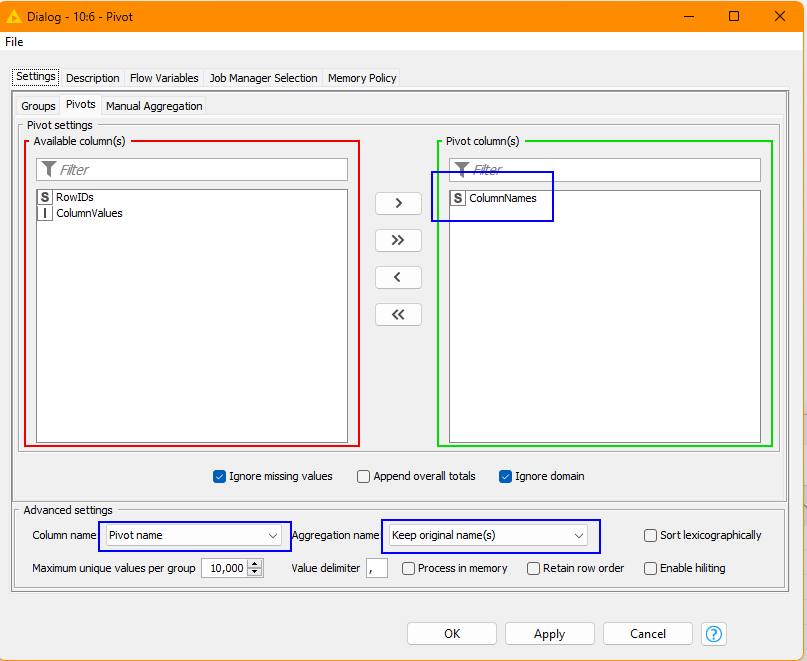
For Pivots, set this to “ColumnNames”
and specify the other settings marked in blue squares here:
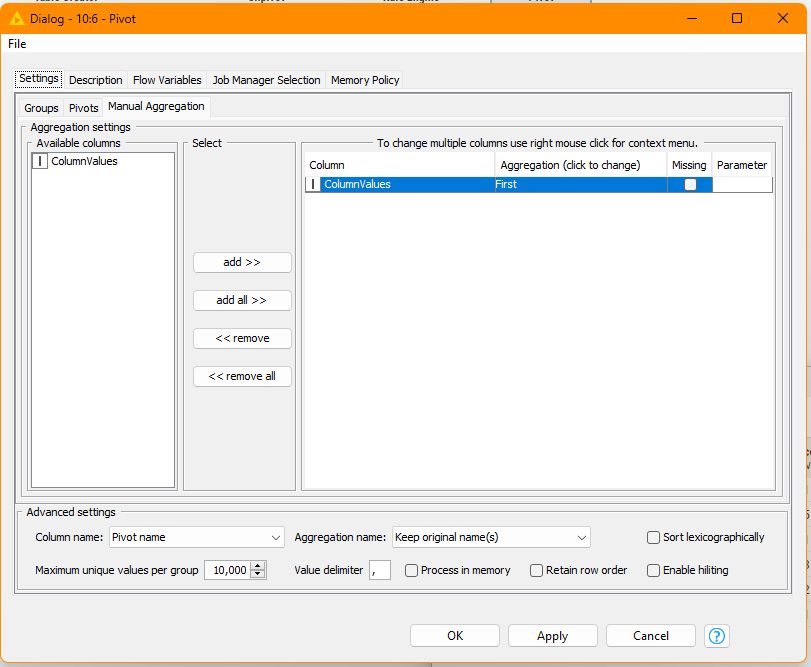
and finally, for Manual Aggregation set it as follows, collecting “First” for ColumnValues
If you need to append the resultant table back on to the original, then Column Appender or Joiner should be able to achieve this.
—
As @rfiegel mentioned, the String Manipulation node is not designed for evaluating rules. However… there is an alternative “hack” method using String Manipulation (Multi Column) that would work in this situation:
toInt(
 $$CURRENTCOLUMN$$.equals(“Very High”)?5
:$$CURRENTCOLUMN$$.equals(“High”)?4
:$$CURRENTCOLUMN$$.equals(“Medium”)?3
:$$CURRENTCOLUMN$$.equals(“Low”)?2
:$$CURRENTCOLUMN$$.equals(“Very Low”)?1
:0)
I don’t think you will find that in any official documentation.
You will find my post on String Manipulation “hacks” here:
and more specifically, related to conditions, here: