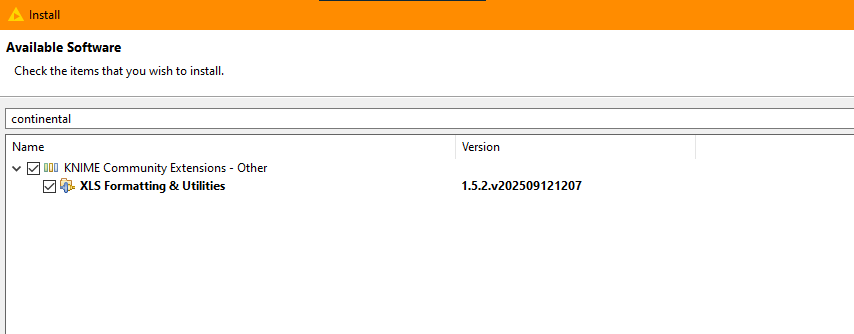
Am adding an update to this issue, as I just hit the same thing whilst installing both KNIME 5.5 and 5.7 on my desktop pc.
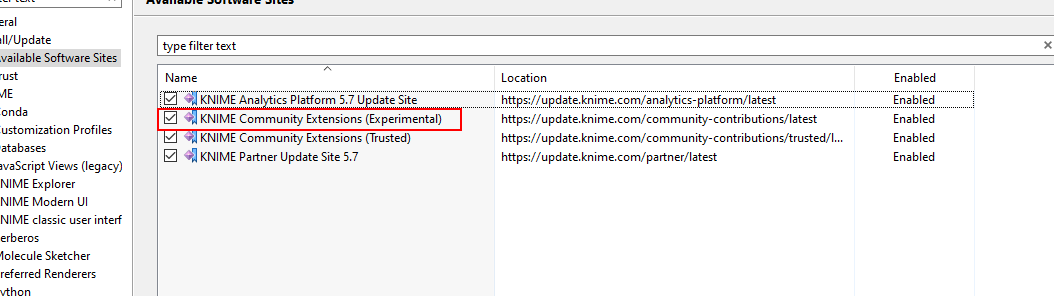
Unlike previous versions, the current situation is that in 5.5 and 5.7 (and I’m assuming also in 5.6) the Continental nodes are available by enabling the “KNIME Community Extensions (Experimental)” site in available software sites:
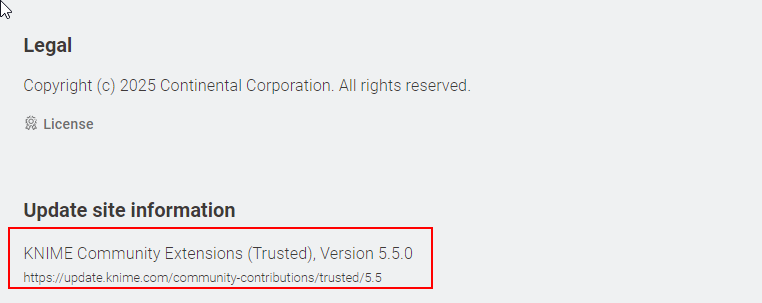
Meanwhile, on the Community Hub, the extension still claims to be in the “Trusted” extensions, but this is clearly not the case at the moment. (I don’t know if this is a temporary thing caused by the new rapid release schedules and the time taken to verify the extension)
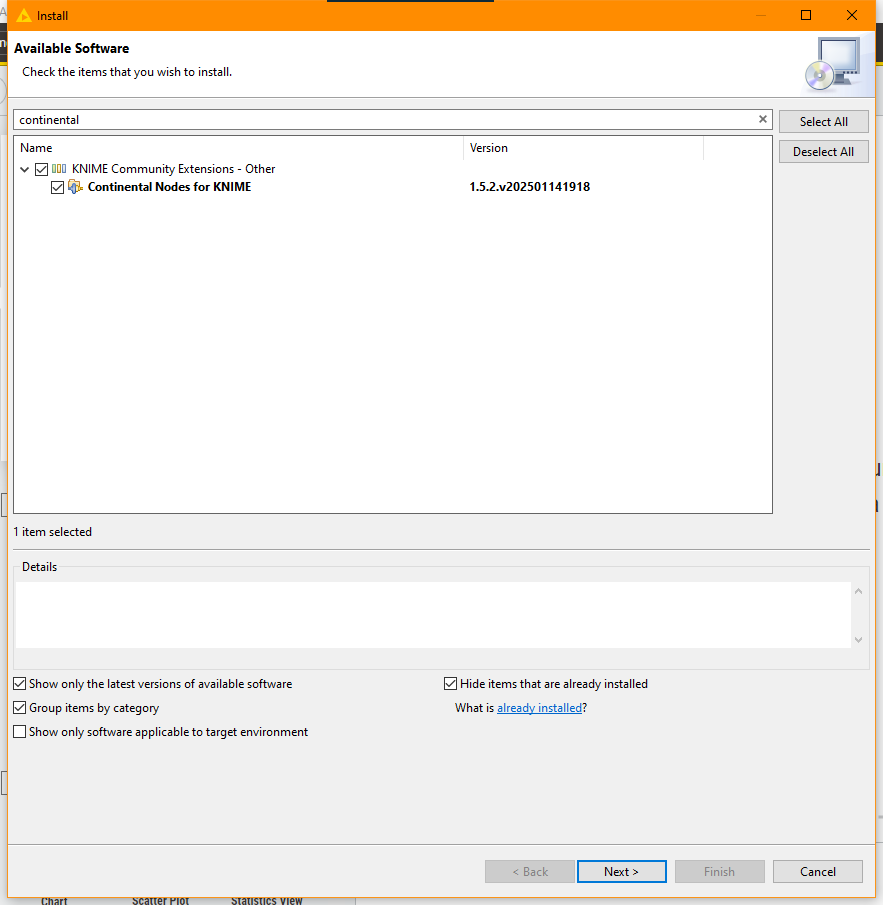
Meanwhile in 5.7, the extension appears to have undergone a name change, making its purpose somewhat clearer… but it can still be found by searching for “continental”
Thanks for the detailed instructions @takbb! I just tried and confirmed that I can now find XLS Formatting & Utilities by searching for continental in KNIME Community Extensions - Other (latest - not just 5.4). It didn’t work a few days ago when I posted this, but I’m glad that it’s now working!
Thanks to @arbe, the maintainer of the Continental nodes in the last years, we have these nodes in our ecosystem. As we now took over the extension it was some work to integrate it.
That is resolved: It is on the trusted update sites again, the Hub page of the now renamed XLS Formatting & Utilities (former Continental nodes) is reflecting the correct state again.
Sorry again and best regards
Steffen
PS: finding it via “continental” in the Install extensions windows should still work, as the identifier (com.continental.knime) did not change.
Thanks @steffen_KNIME for your great support in taking over the extension.
With the spin-off of Continental’s Automotive business as the independent company AUMOVIO SE, we lost the branding association and hence decided to give the extension to KNIME’s responsibility. Thanks a lot to the entire KNIME team to continue it!
I will personally remain a contact person and contributor on functional issues and features.
Hi @arbe. I would like to add my thanks for your work on this extension. It continues to be a very important extension to me for formatting excel. I have a number of my components for providing quick formatting which rely on this extension and would not have been possible without it.
Really appreciate all your efforts and continued support.