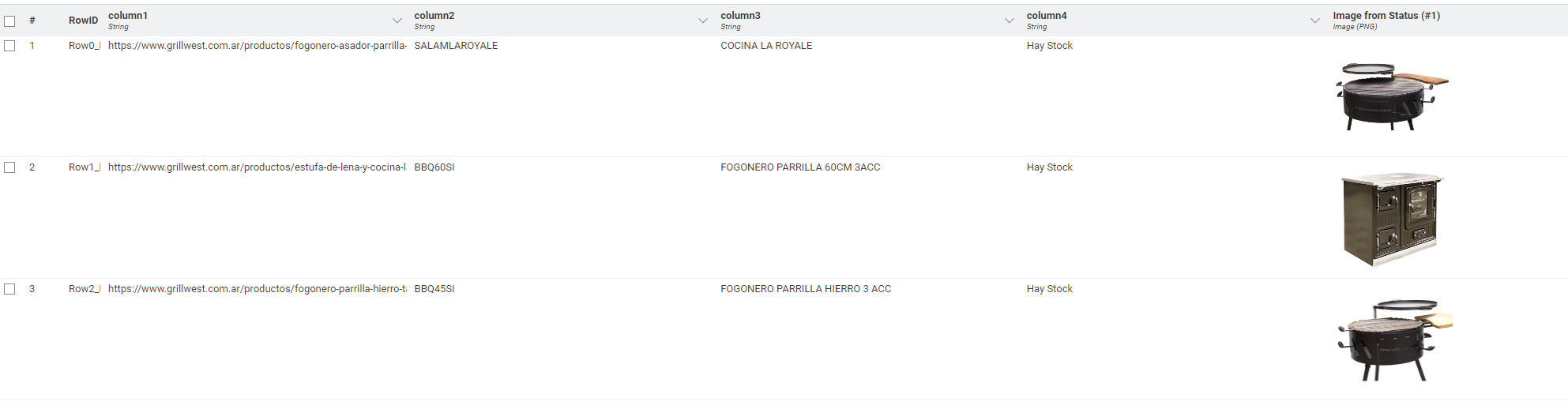
I need your help scheduling a display. In the Web Link column, there are a bunch of links to my website. The website sells household products. I would like to be able to transform the web link into the image of the first product that appears within the link.
Hi @julianLago123,
I’m not sure if there’s an easy way to do this, but I was able to build a workflow with the help of a Python Script to fetch the image based on the image URL.
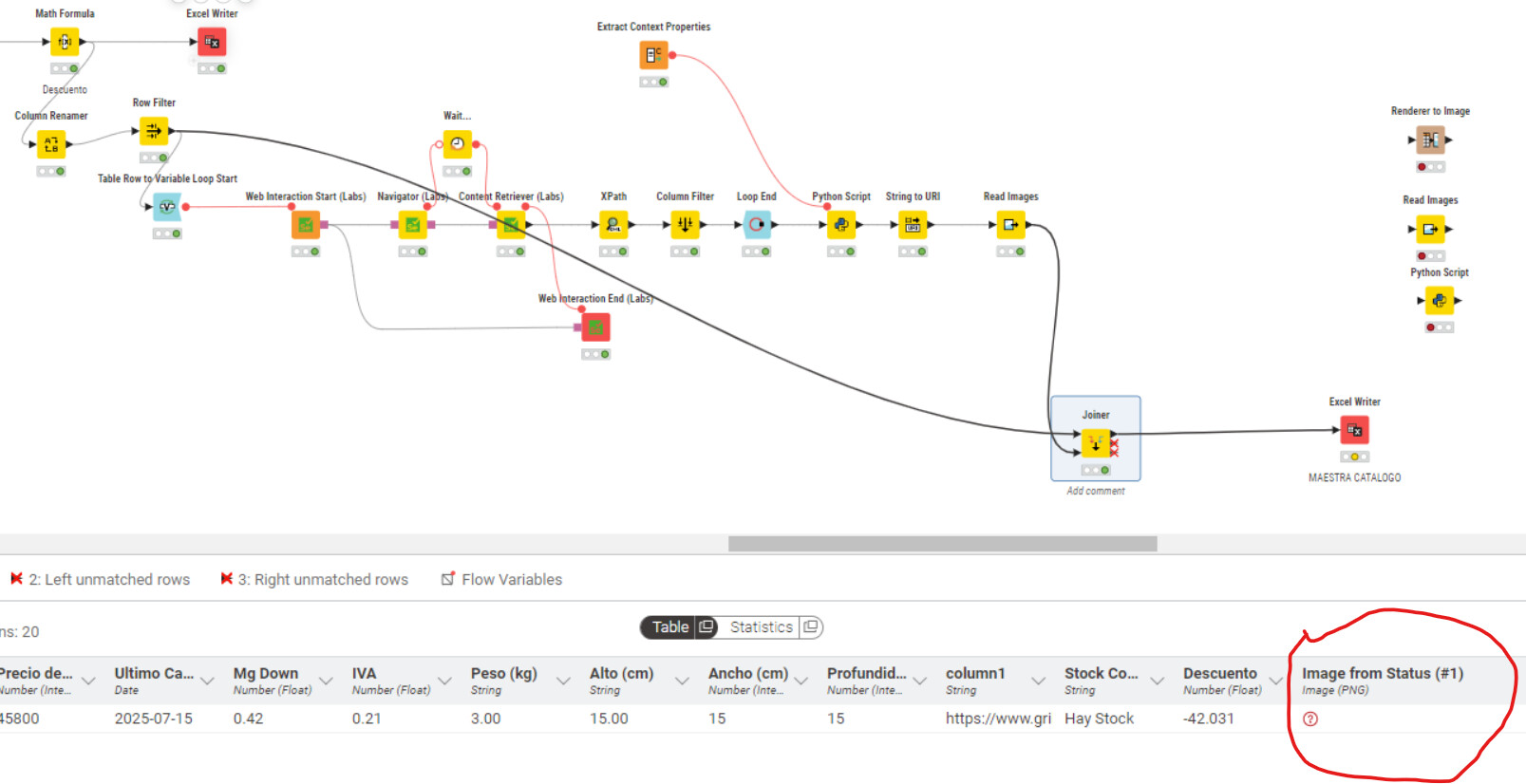
Here is the workflow. Example output:
Best,
Keerthan
Good afternoon! How’s everything going?
Thank you so much for your reply. It was very helpful. I really appreciate you taking the time.
I still haven’t been able to get it working. I downloaded the necessary extensions, but I noticed that at some point I couldn’t get the same output.
I’ll keep trying.
Good morning! How are you?
@k10shetty1
I still can’t complete the process. I’ve completed all the steps, but I can’t write the workflow in an Excel spreadsheet containing the image you helped me compile.
Thank you so much for your help! You’ve provided me with a lot of information.
I was looking for a solution, and you suggested the RENDER TO IMAGE node. I couldn’t find the solution.
Can you share the workflow you have built. So that I can see exactly what is happening.
Best,
Keerthan
url-in-image.knwf (965.6 KB)
Of course!
I hope that’s clear!
Thank you very much in advance for your help!
We’ll be in touch with any questions.
@k10shetty1
Hi @julianLago123,
The dataset is currently on your local system, can you include them with your workflow ? Docs: KNIME File Handling Guide. Instead of sharing all the preprocessing, i would recommend sharing a workflow with only the final data before the loop start (in a single csv/excel file).
Best,
Keerthan
Good afternoon! @k10shetty1
I realized where I was going wrong.
It wasn’t a problem with the image format.
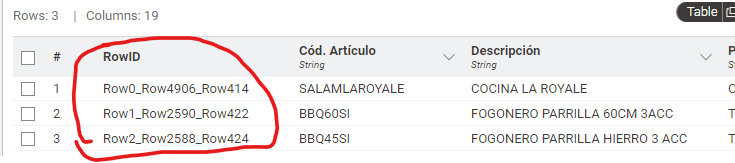
The joiner was based on the RowId.
Since I previously cross-referenced different tables, my RowId isn’t the same.
I would need to cross-reference it using the ItemCode column (Column 1).
Can this workflow be used for multiple products? Wouldn’t it be slow to collect all the images? I’d like to do it once, store the images, and then create something where the information isn’t located on my website, but in a local folder.
I read the link provided to upload the files to the workflow, but I have multiple cross-referenced tables and couldn’t do it. Sorry about that.
Hi @julianLago123,
Yes, you can definitely use this approach for multiple products, it just depends on how many you’re working with. The important part is to have a primary key that links each image back to the correct record. A good practice is to store the image together with a key value pair so you can reliably retrieve it later.
Best,
Keerthan