One more addition I’d like to propose: the Rule Engine will read the rules from top to bottom, so if more than one rule could apply, only the first rule would be applied. Let’s say I’d add “black & yellow by wiz khalifa” to the sample table, you’d want to see matches for “black” and “yellow”. You can use a loop that feeds one rule after another into the Rule Engine, so each rule will be treated equally, and remove rows without any matches.
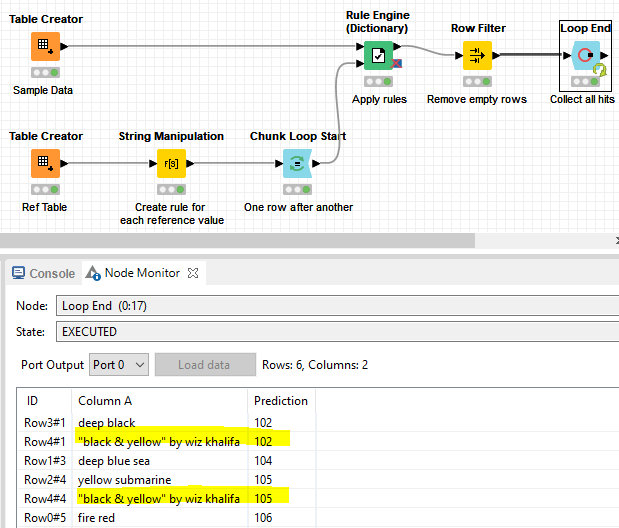
If you want to do math with the assigned values (e.g. calculate sum or mean of each group via a GroupBy node), you’d probably want to change the String Manipulation node’s content to join("$Column A$ LIKE \"*", $Standard$, "*\" => ", $Code$), so the result would be an integer. That’s what I’ve done in the workflow below: