Data.xlsx (61.0 KB)
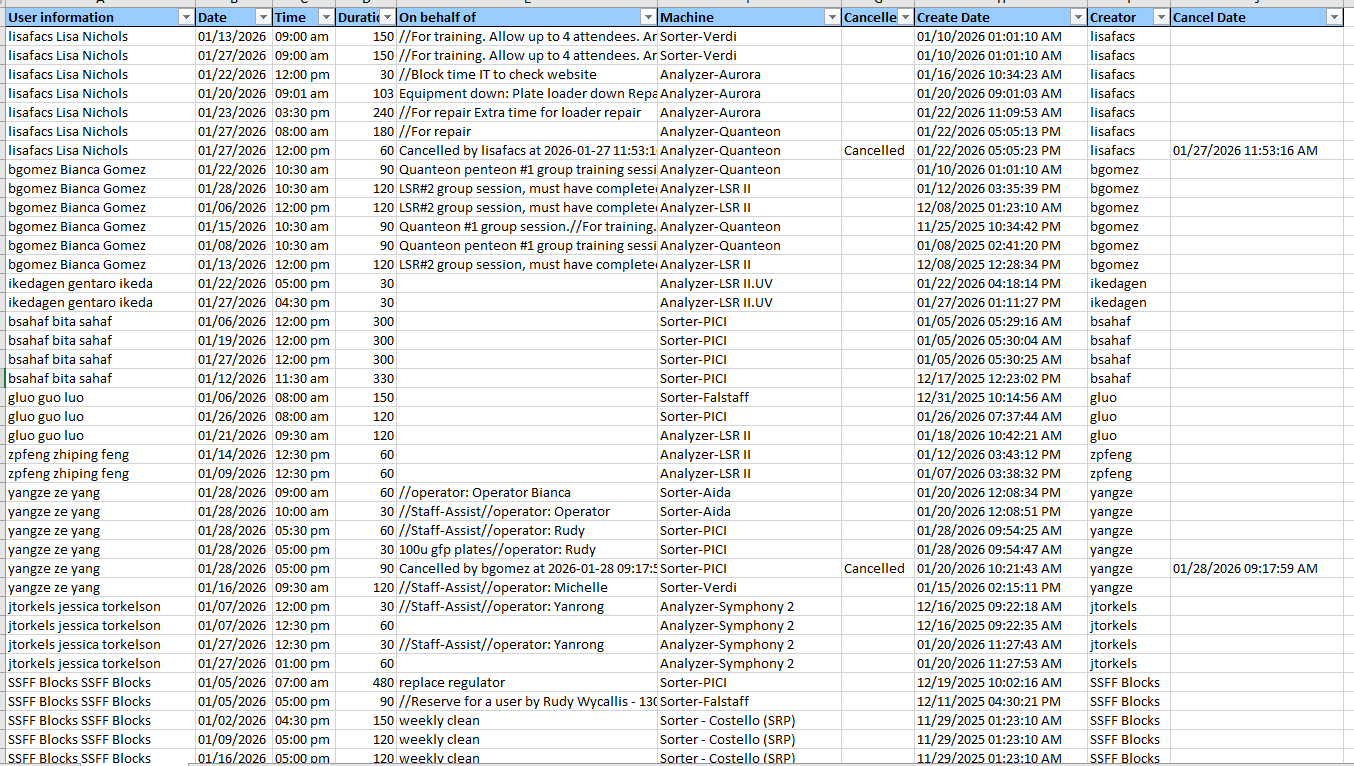
Hi, I’m pretty new to Knime and would like some help to adjust this data set. Would love to learn from how this is coded for my own personal growth. Thank you in advanced for your help! Instructions of what I am trying to achieve are below.
-
Remove any rows that have “SSFF Blocks SSFF Blocks” in column A
-
Merge data that of one user to have back to back time slots of the same day.
- i.e I want to merge user information on Row 26 “yangze ze yang” (Column A) booked on 01/28/2026 (Column B) 09:00am (column C) for 60 mins (Column D) on the “Sorter-aida” (column F) with Row 27.
-
The finished product should only show Row 26 with all of its original information except updating Column D with the combined data. Then removing Row 27.
-
Example of finished product:
yangze ze yang 01/28/2026 09:00 am 90 //operator: Operator Bianca Sorter-Aida 01/20/2026 12:08:34 PM yangze
-
- i.e I want to merge user information on Row 26 “yangze ze yang” (Column A) booked on 01/28/2026 (Column B) 09:00am (column C) for 60 mins (Column D) on the “Sorter-aida” (column F) with Row 27.
-
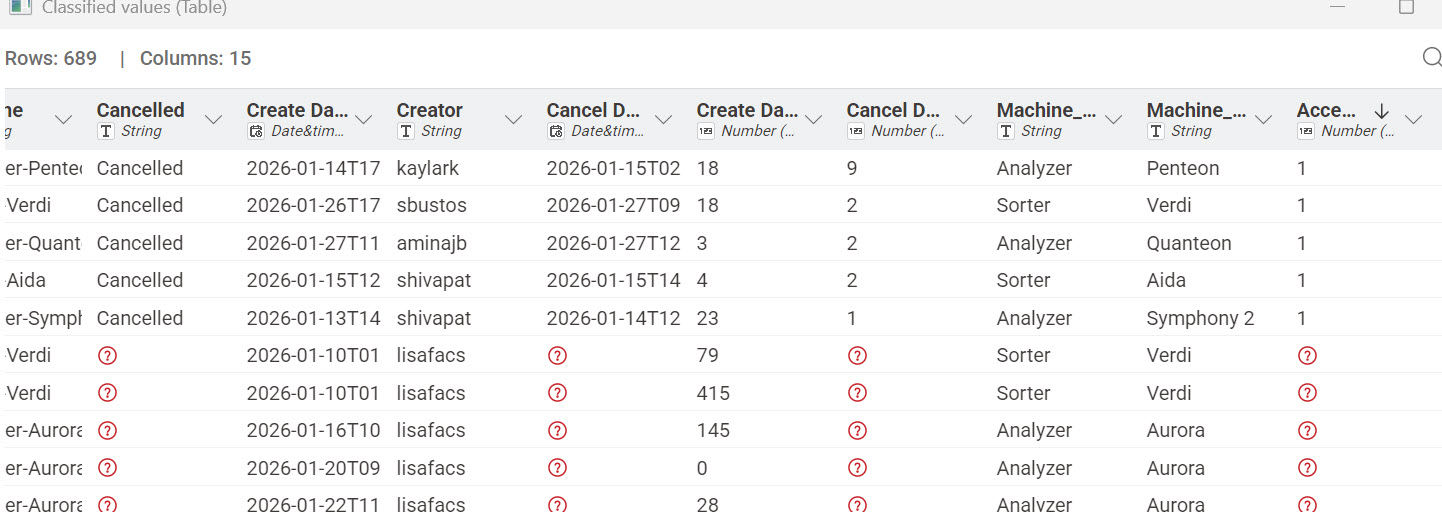
I need a way to test and remove rows with acceptable cancels. Here are the rules for acceptable cancels:
- If there is a cancel: it must follow one of three acceptable cancel routes.
- If service is cancelled and the “Create Date” (Column H) is within 24 hours of “Date” (Column B), then this is an acceptable cancel.
- If service is cancelled and the “Cancel Date” (Column J) greater than 24 hours from the “Date” (column B) for “Analyzers” (Column F), then this is an acceptable cancel.
- If service is cancelled and the “Cancel Date” (Column J) greater than 48 hours from the “Date” (column B) for “Sorter” (Column F), then this is an acceptable cancel.
- All other cancel request data are retained.
- If there is a cancel: it must follow one of three acceptable cancel routes.