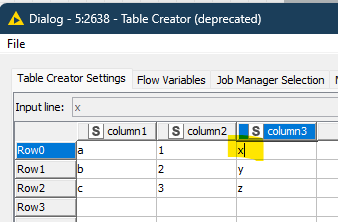
With the old/original Table Creator node, if I paste data to the grid, everything goes in place as expected without introducing any line feeds into cells.
See below - I pasted a 3x3 grid (can be from Excel or Notepad). The last column has no extra characters after the x (or y or z).
If I paste the same way into the new Table Creator node, then click in any of the cells in the last column, you can see a line feed has been entered.
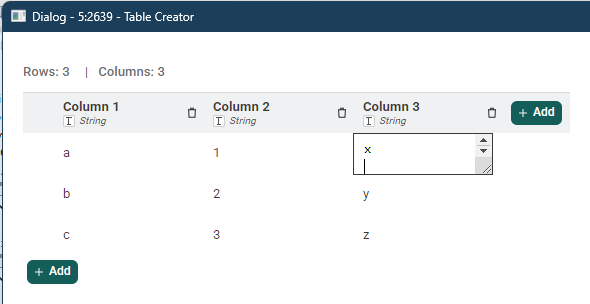
This line feed only appears in the far right column, presumably because the paste operation is taking the newline that’s from the original data.
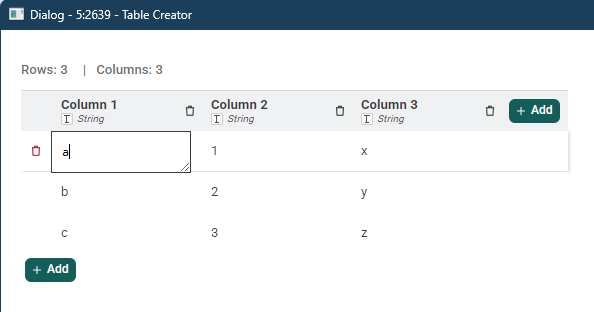
The newline in the data therefore is interpreted twice - once in adding a \n to the last column, and again in going one row down for the next line.
The behavior is not intuitive. Due to this I believe it is a bug.
- Workaround 1: Paste an extra column, then delete that column.
- Workaround 2: Paste as normal, then use a node to clean up the newline in the final column.
- Workaround 3: Paste as normal, then manually clean up every newline in every cell.
Since this behavior differs from the original, there’s a good chance that many people, like me, will start seeing errors as they migrate to using it.