Message at platform “WARN XGBoost Predictor (Regression) 4:22991 The required column ‘AVG Days on Market (Number (Integer))’ is not contained in the input table.”
I’ve read several other semi-related forum notes but nothing I do from them can clear the error.
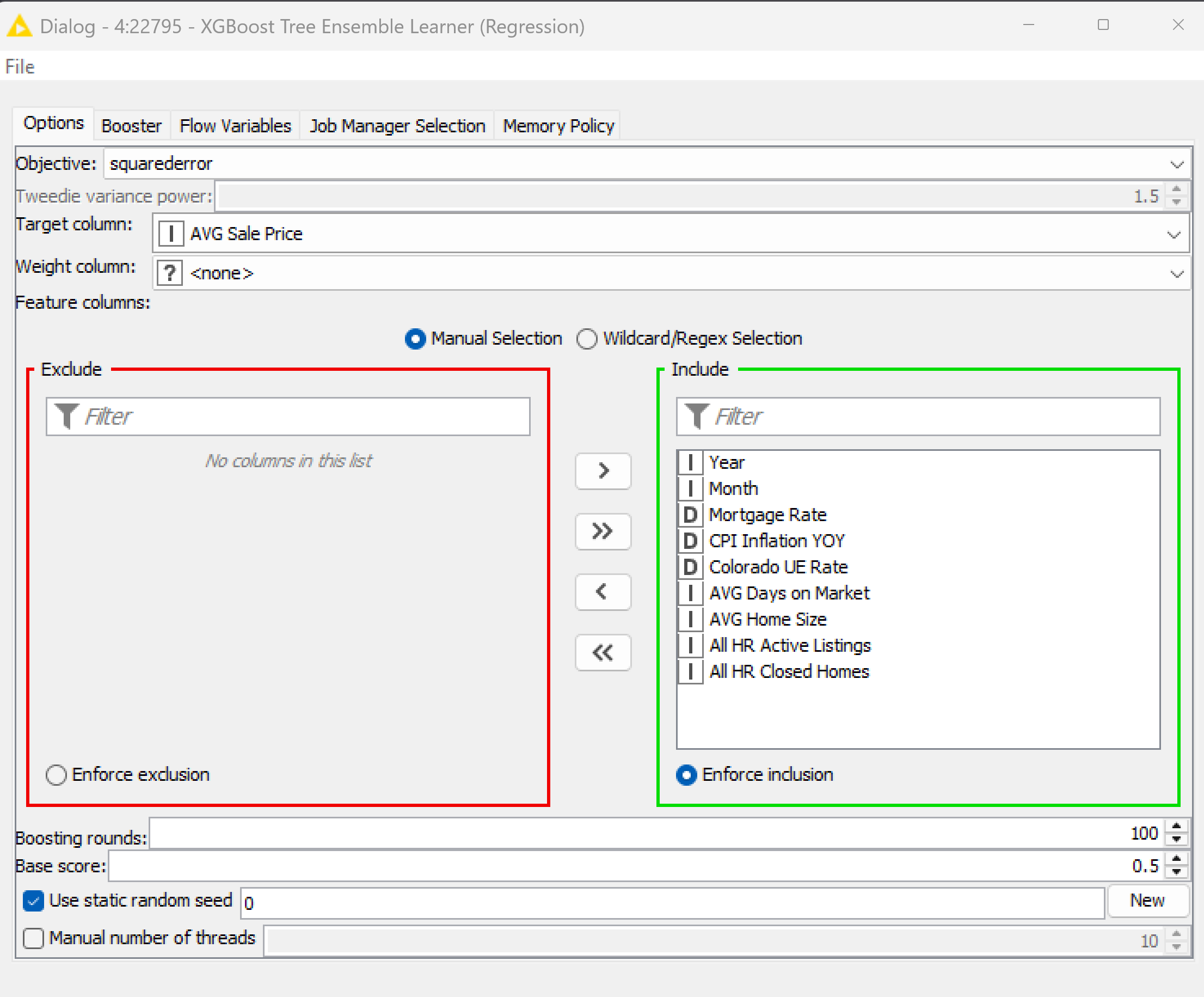
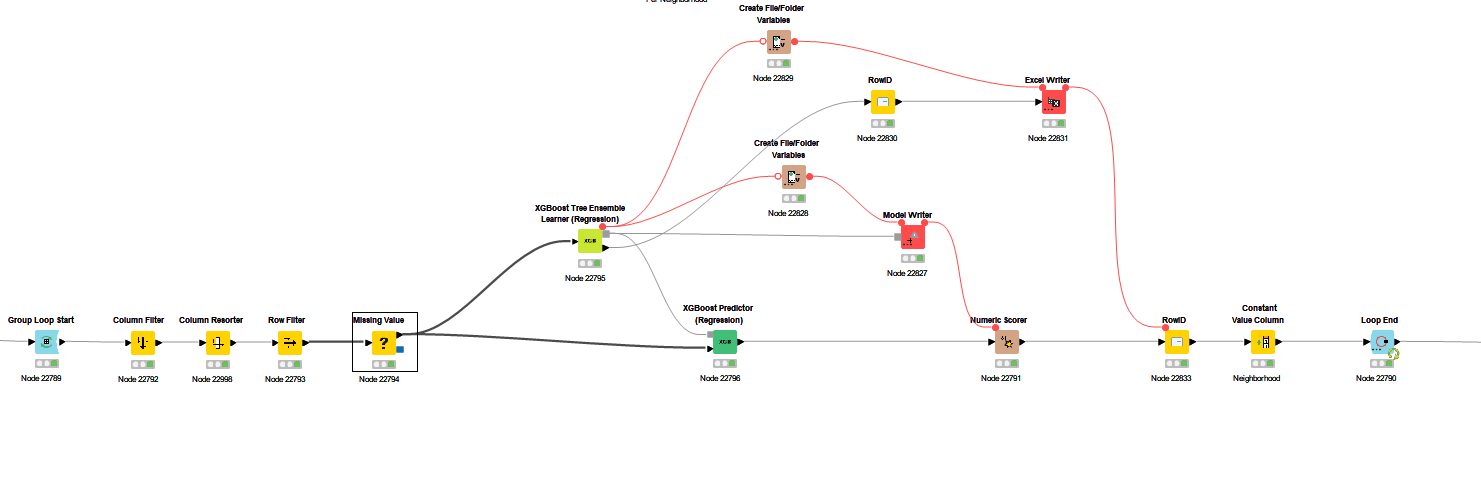
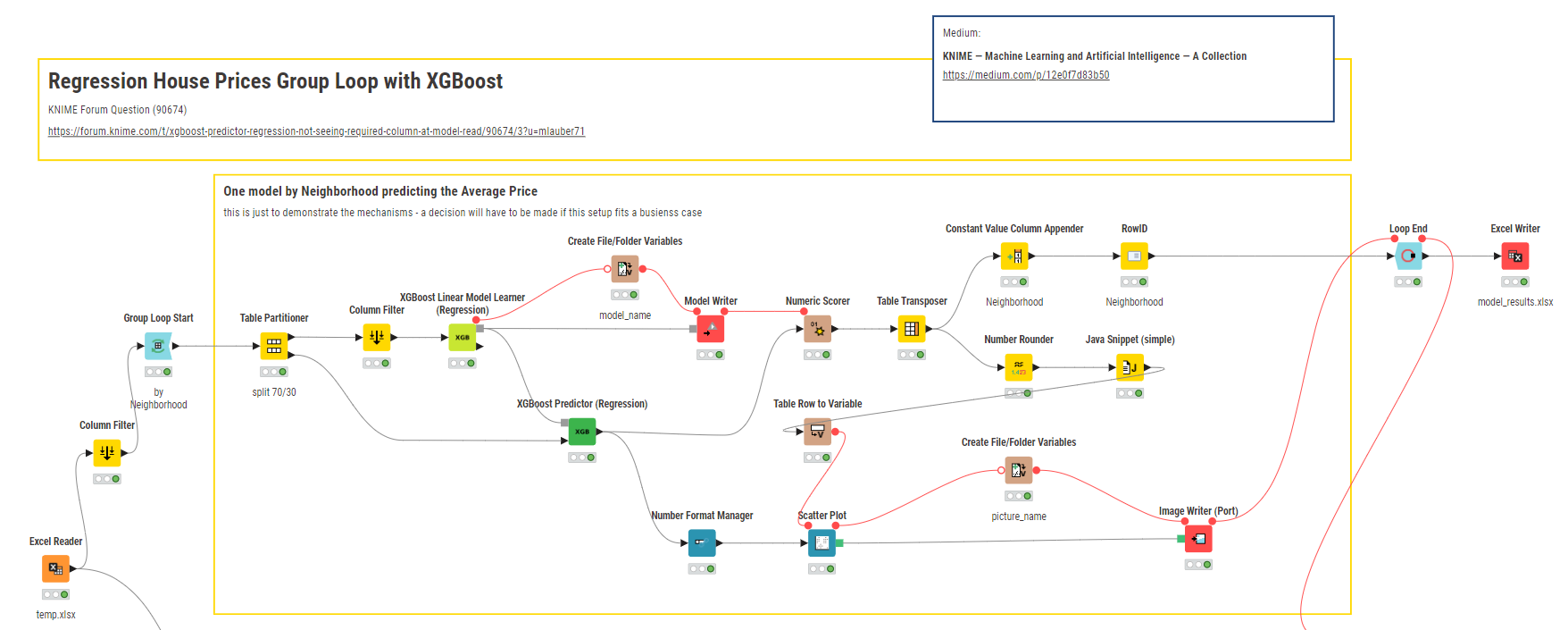
XGBoost is trained as below
The workflow is a bit complex and I was helped some time back here at the forum to create it
When I use the model reader workflow the XGBoost Predictor (Regression) throws the error
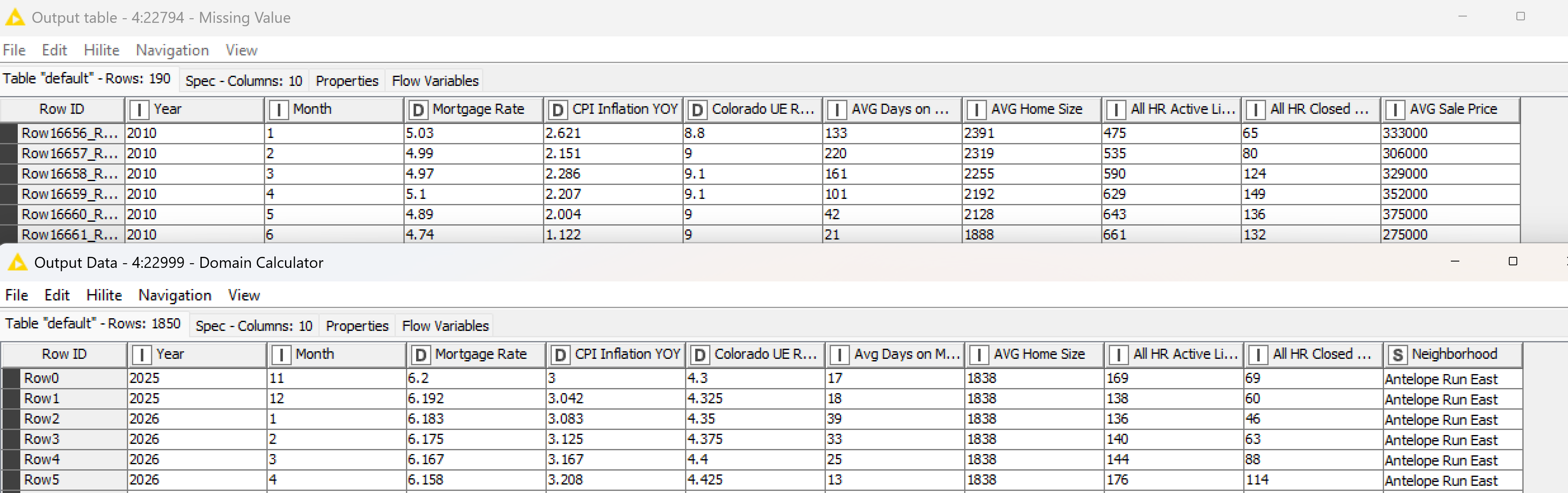
I’ve done everything I can to ensure the two input tables are the same: same column names, same column types, same order, and even pumped the model reader set with Domain Calculator. Always the same error.
The training on top then the reader tables are pasted below. My reader data and workflow is attached. Oh, in each case everything is fun via a loop for each individual neighborhood. Thank you
temp.xlsx (81.0 KB)
KNIME_project.knwf (18.8 KB)
Hi,
unfortunately the model is not included in the workflow you have provided.
From the screenshot above I see, that the application of the predictor works without errors.
When you pipe this table instead of table 22999 into the predictor everything works fine?
You can compare the table properties by extracting them with the “extract table spec”. Maybe there’s a hint.
In general:
It seems that you do not do a train-test-split on the data for the model development. This leads to non-generalized models. Especially the tree-based approaches tend to highly overfitting.
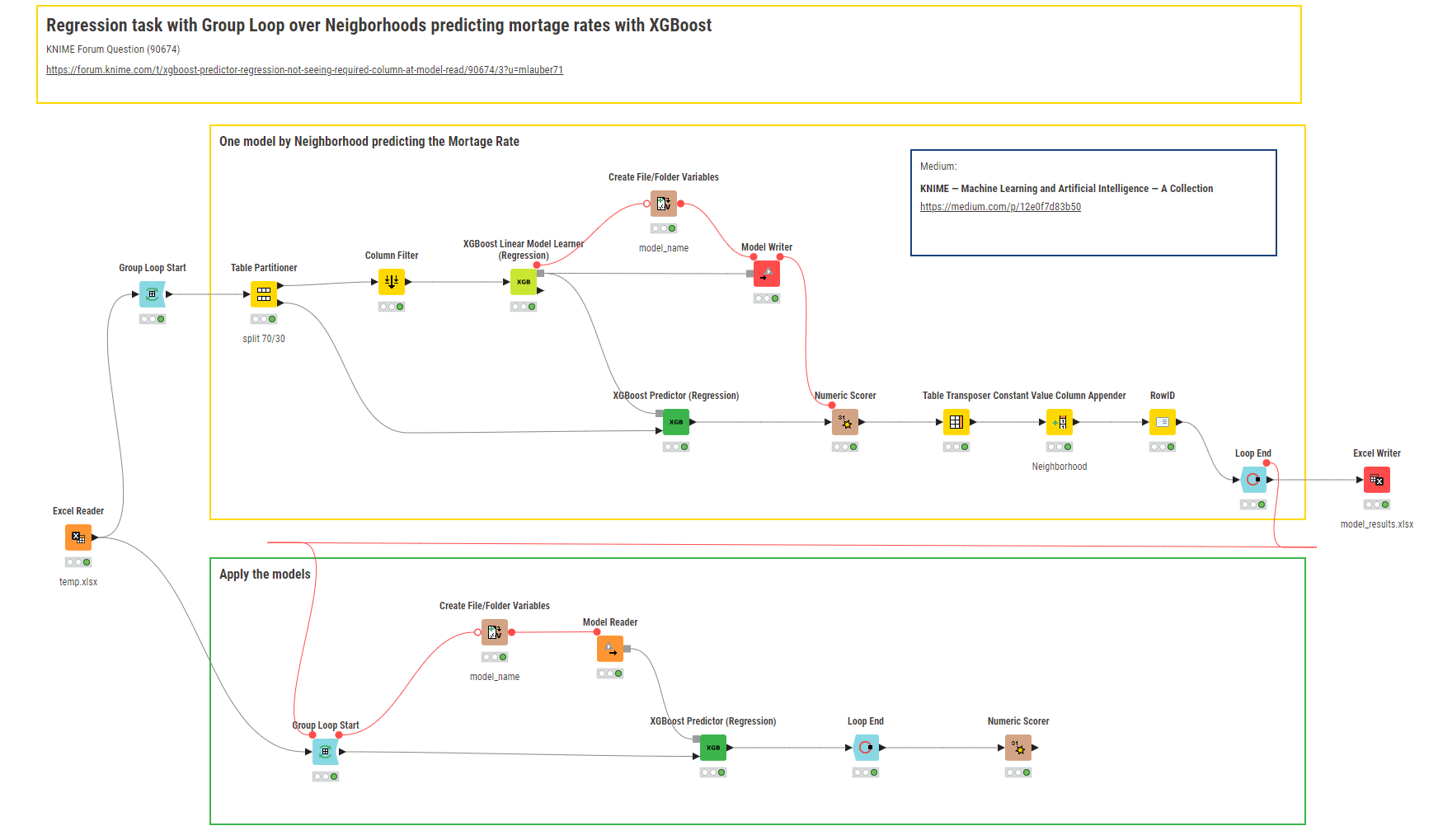
@creedssmith your task could go something like this. But as @ActionAndi has said. You will have to be careful interpreting and using the results since there is not that much data there and you will also want to check if the features will make sense (I excluded some of them initially). In case you wanted to calculate an average mortage rate over the whole neighborhood you might have to make adjustments and especially think about if the setup will make sense.
You could read more about Machine Learning here:
@ActionAndi @mlauber71 Thank you for the input. I’ve confused you a bit. The data set you have is used only for forecasting future home prices 24 months in the future with the Model Reader work flow. There’s a larger data set the initial model was trained on, which I will attach here. Thanks
temp-initial-data-for-training.xlsx (967.7 KB)
@creedssmith I adapted the workflow. You still will want to check if this does make sense from a business perspective.
It now also will produce a PNG file per neighborhood with the House Prices real and predicted and the RMSE:
In case you want more regression examples you can take a look at these workflows - also using house prices 
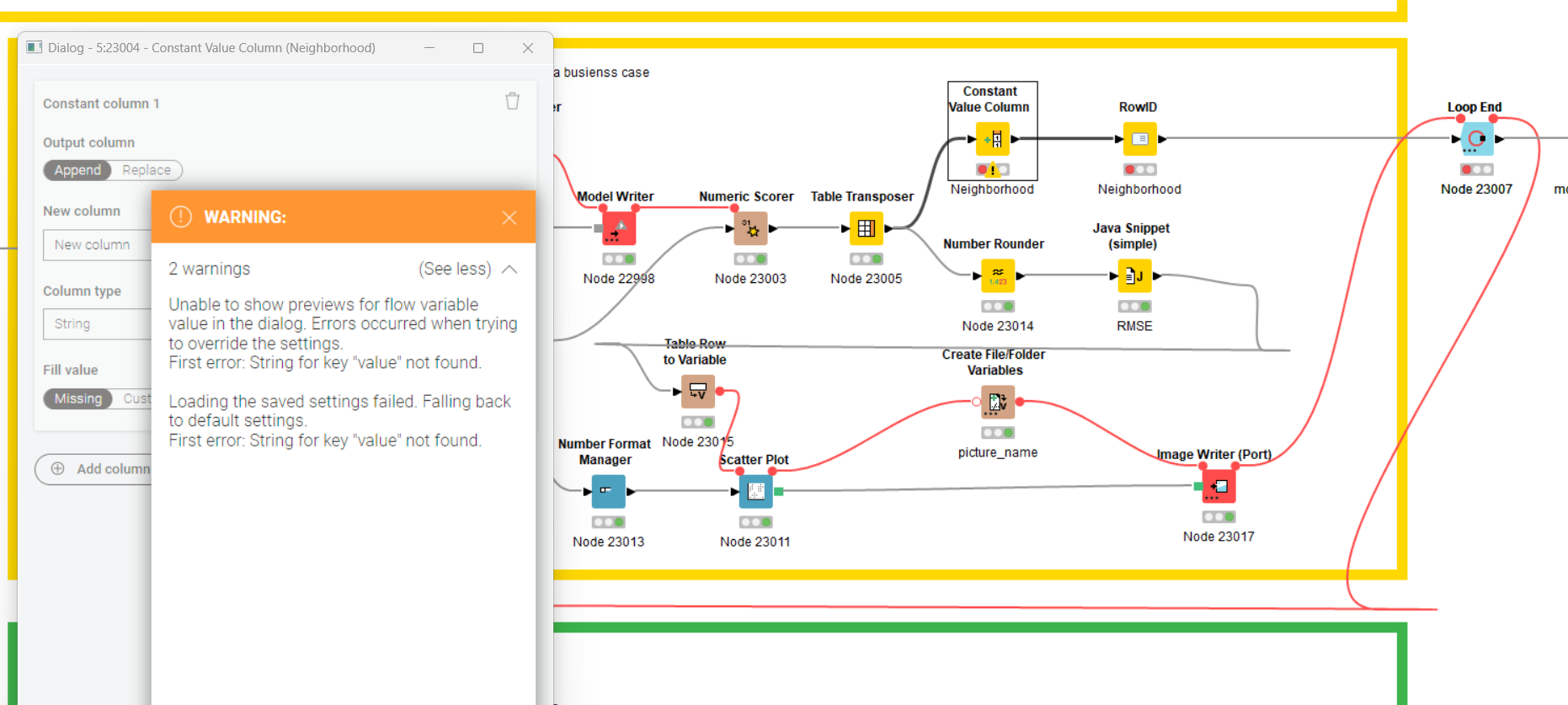
@mlauber71 thank you for your help. I’m sure you’re very busy but two questions. 1) I imported your workflow and it is crashing at the constant value node I believe regarding the variable flow into it. What do you suggest? 2) In your attached workflow you looped the same training data back to the Model Reader workflow–thus the same data set. I should just be able to attach the separate “future data” set to the reader model–once the error in question 2 is resolved?
The chat locked up. “temp” is the future data set for the Reader Work Flow. “temp-initial” is the training set.
Thank you
temp.xlsx (81.0 KB)
temp-initial-data-for-training.xlsx (967.7 KB)
@creedssmith the column you are missing is simply not there in the temp.xlsx …
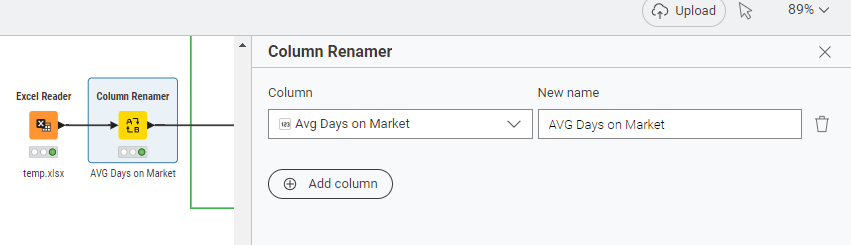
I adapted the workflow to reflect that. Also one column name was not exactly the same.
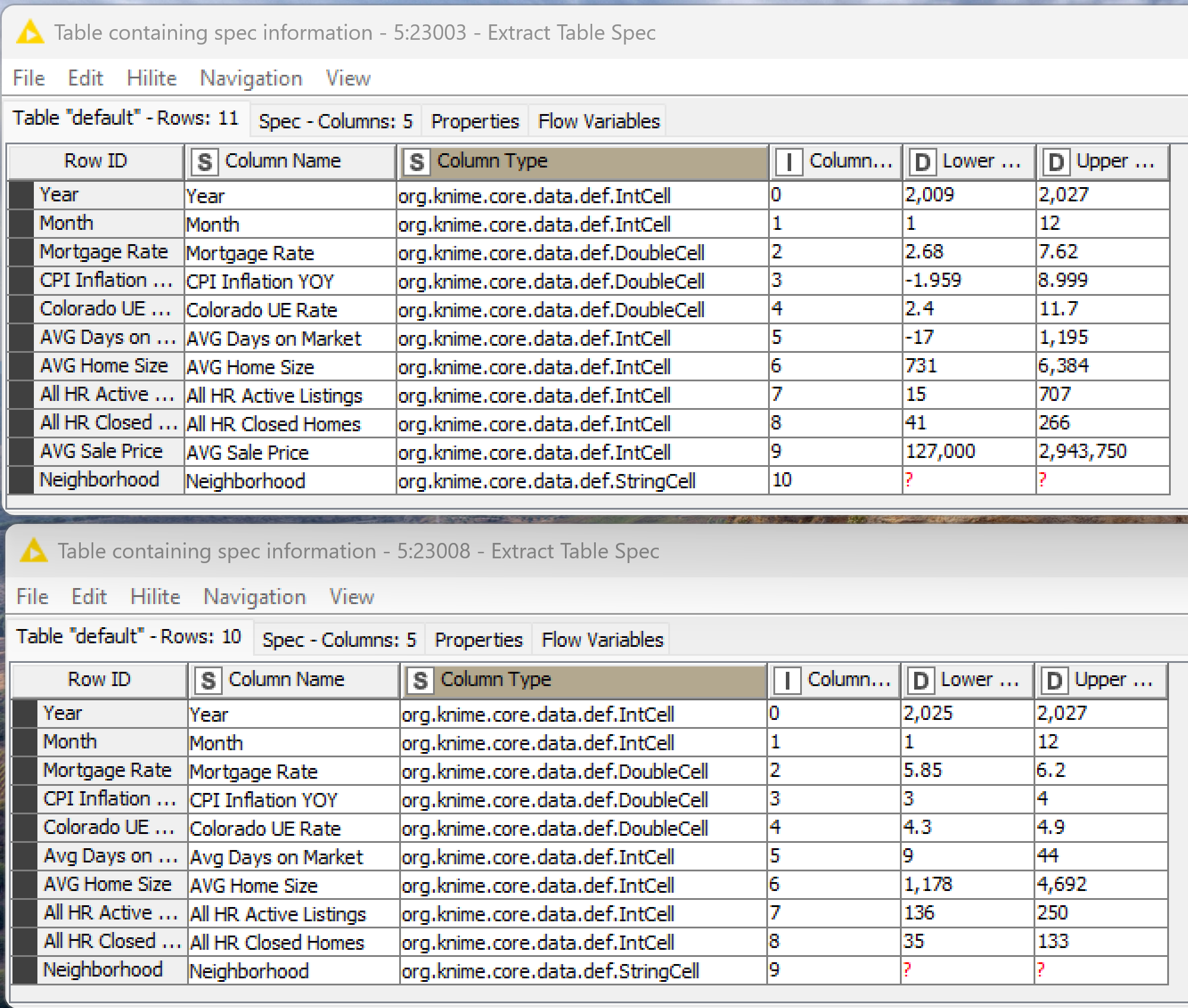
@ActionAndi pasted below are the Extract Table Spec results. Top is larger training set; below that is the set for predicting future values with Model Reader workflow.
The Neighborhood columns are just there to run a loop through 74 separate neighborhoods and aren’t used by XGBoost. AVG Sale Price is in the training set as its our target/dependent variable. Price is obviously not in the future prediction set…since that’s what I wish to predict.
Otherwise the Table Specs appear exactly the same to me.
I’m just not smart enough to understand why the model reader workflow crashes at the XGBoost Predictor node claiming “WARN XGBoost Predictor (Regression) 5:22991 The required column ‘AVG Days on Market (Number (Integer))’ is not contained in the input table.”
@creedssmith the name is slightly different. You can check the workflow it renames the column.
”AVG Per Foot” is only present in the training so it has to be excluded.
@creedssmith : Just use the reference row splitter to identify non matching column names.
In general I suggest to use lowered column names
@ActionAndi @mlauber71 Thank you, I will dig into both of your suggestions.