I’m trying to show two table views below each other in a component in KAP 5.5. If the first table has only a few rows, there will be a lot of white space below the table, and the user might not see the second table. Table View uses more space then needed in Component - #2 by lelloba For a report it seems that this is possible by selecting “Auto” instead of “Aspect ratio” for the layout setting. However, in the component view, the table will appear empty if I activate this.
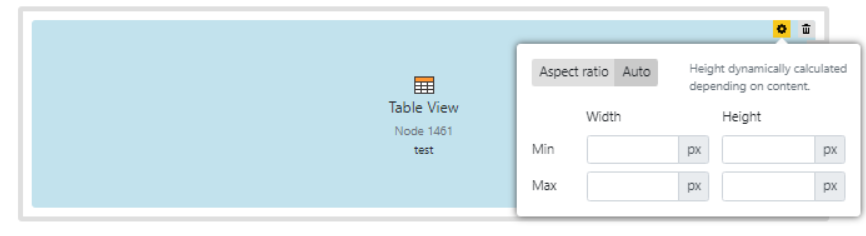
Even setting the min and max as suggested here will not show the table in its proper size, instead only the min value is used, regardless of the number of rows in a table.
The issue was already reported in 2024, where it was solved as “dev team is looking for better solutions”: Component Layout configuration (Ratio Display Auto) As there are no more replies allowed there, I’ve opened this ticket to see if others would also find an “auto” option that actually takes the table height into consideration for the component view useful.