Can you upload a sample workflow showing your progress so far? Hopefully in executed state, assuming the data you are using is not confidential. That will help the forum experts diagnose your problem better.
I suspect it’s something in the Joiner configuration, but without more info it’s hard to be sure.
Every time we get unexpected results from joins, it’s either because:
we are not doing the joins properly,
or
the data we are joining on are not what we expect them to be
The first one is relatively more obvious to find, and can be fixed with the proper configuration, while the second case is more tricky, especially if you have “hidden” characters in the data. As the name says it, the would be characters that are there, but not visible, for example a space at the end. That would make the data different from the one that does not have a space at the end, but to the naked eye, you would not see the difference since the space is invisible.
At the end of the day, the joiner will always give you the results that it was ask to retrieve based on the data it is given.
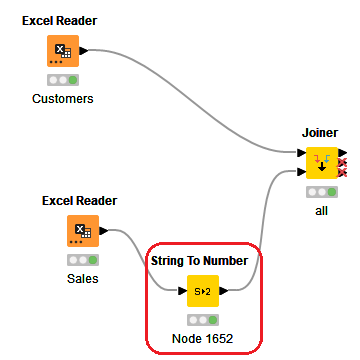
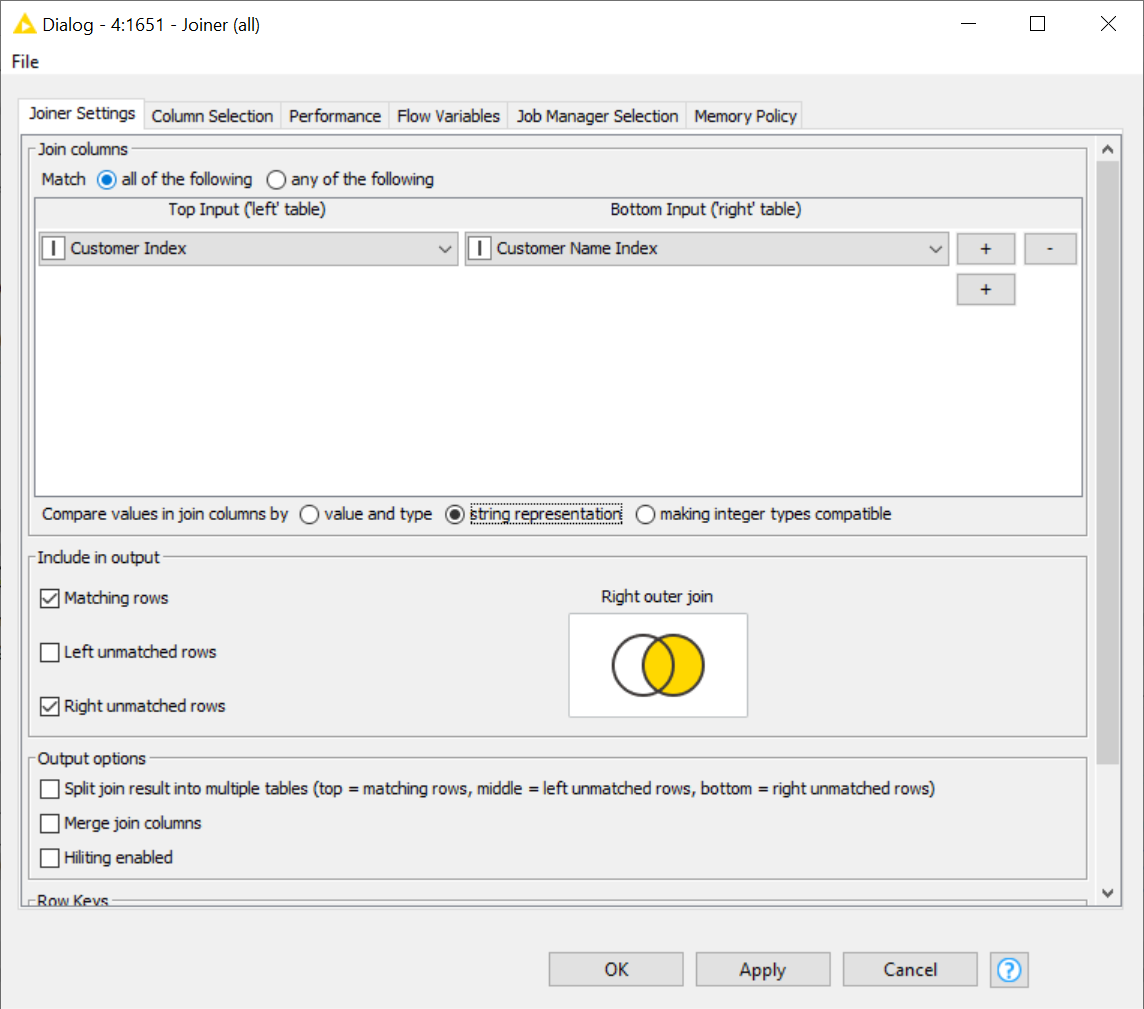
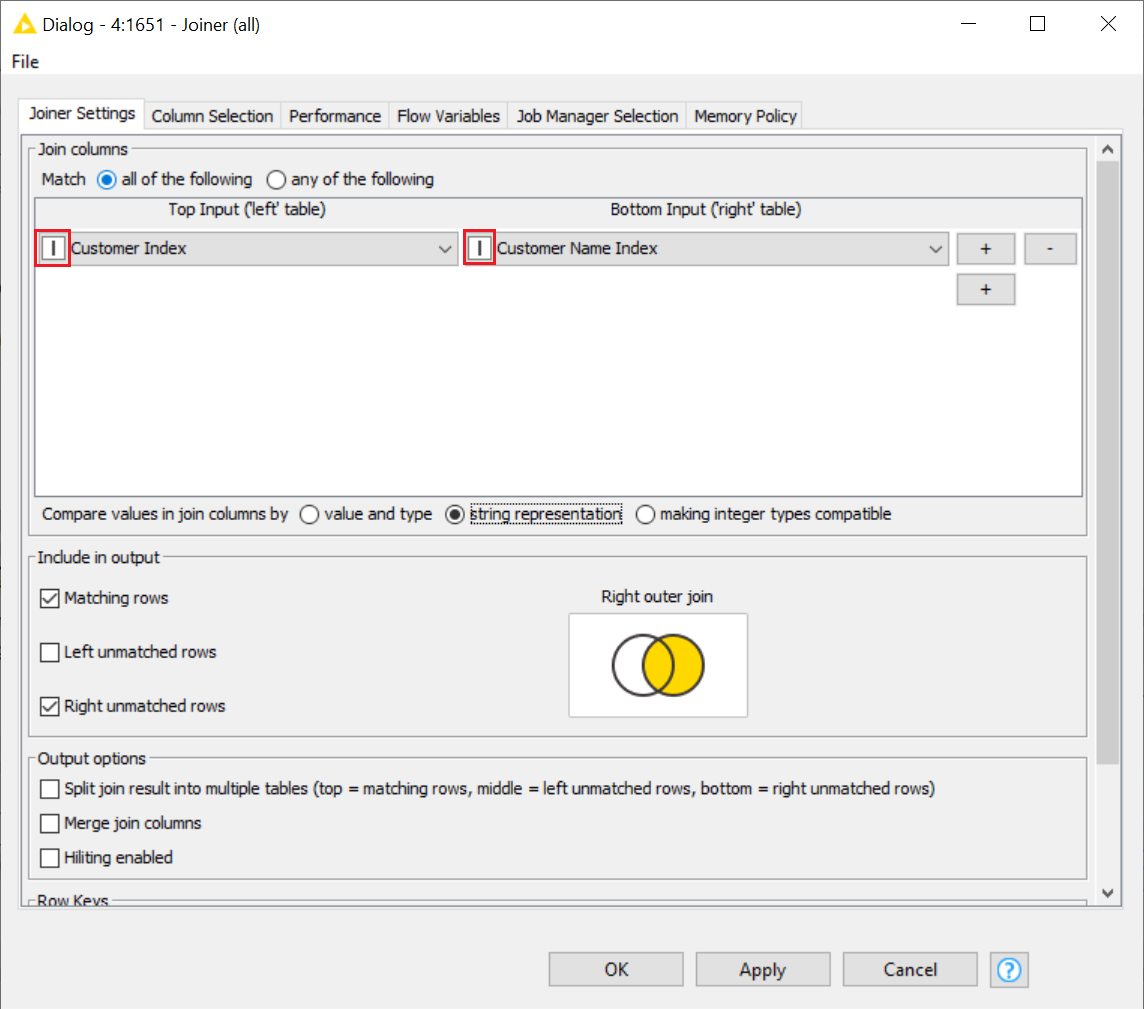
Looking at your workflow, you can see that you are joining an integer column with a string column. That can be a problem. Also, this can also be a hint that the column does not entirely contain numerical values. I mean, both Excel Readers are reading similar columns, but why is the ID being read as an int from the Customers file, and why is the ID being read as a String from the Sales file? There must be some funky characters in the Sales file that made Knime choose to read the column as a String.
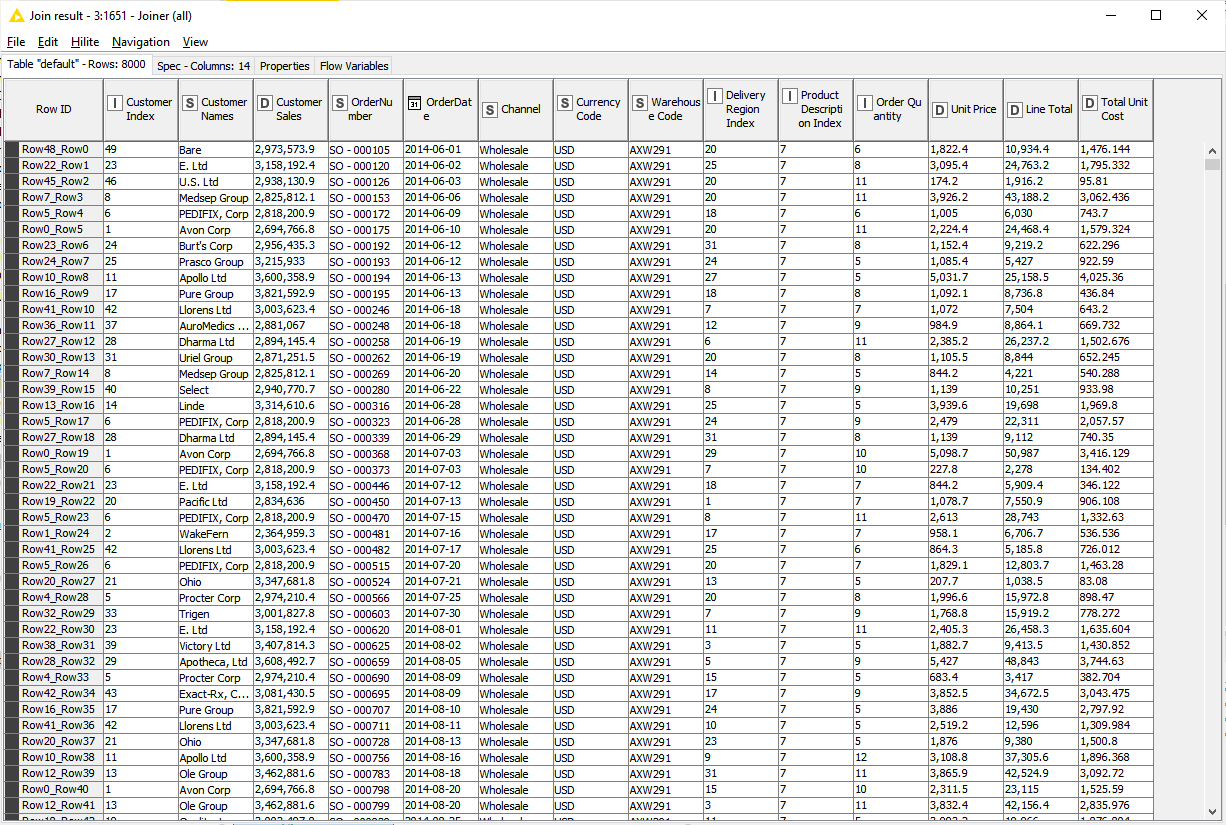
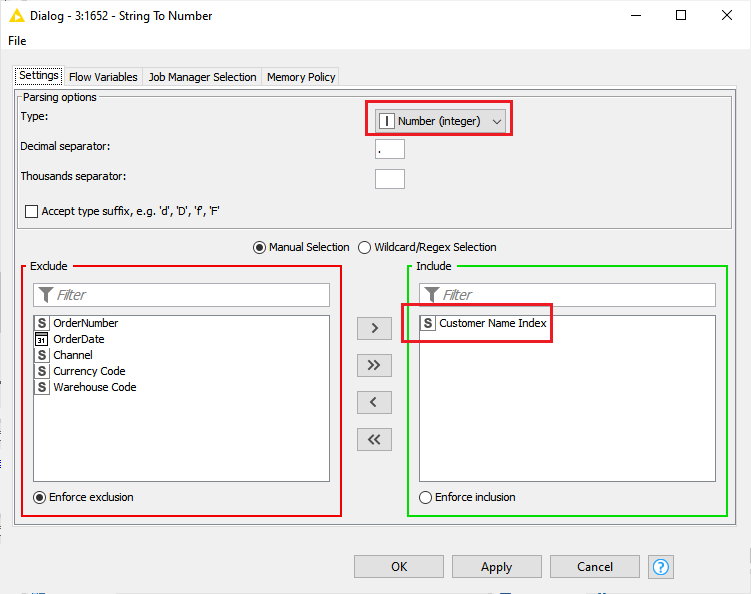
You can force the Excel Reader to read the column as a numerical value - go to the Transformation tab in the Excel Reader (I can’t do this from your workflow as it does not include the Excel files), or you can convert the column to Int, which I did since I could not do the first option as I don’t have the files. Once I converted, I got some joined results: