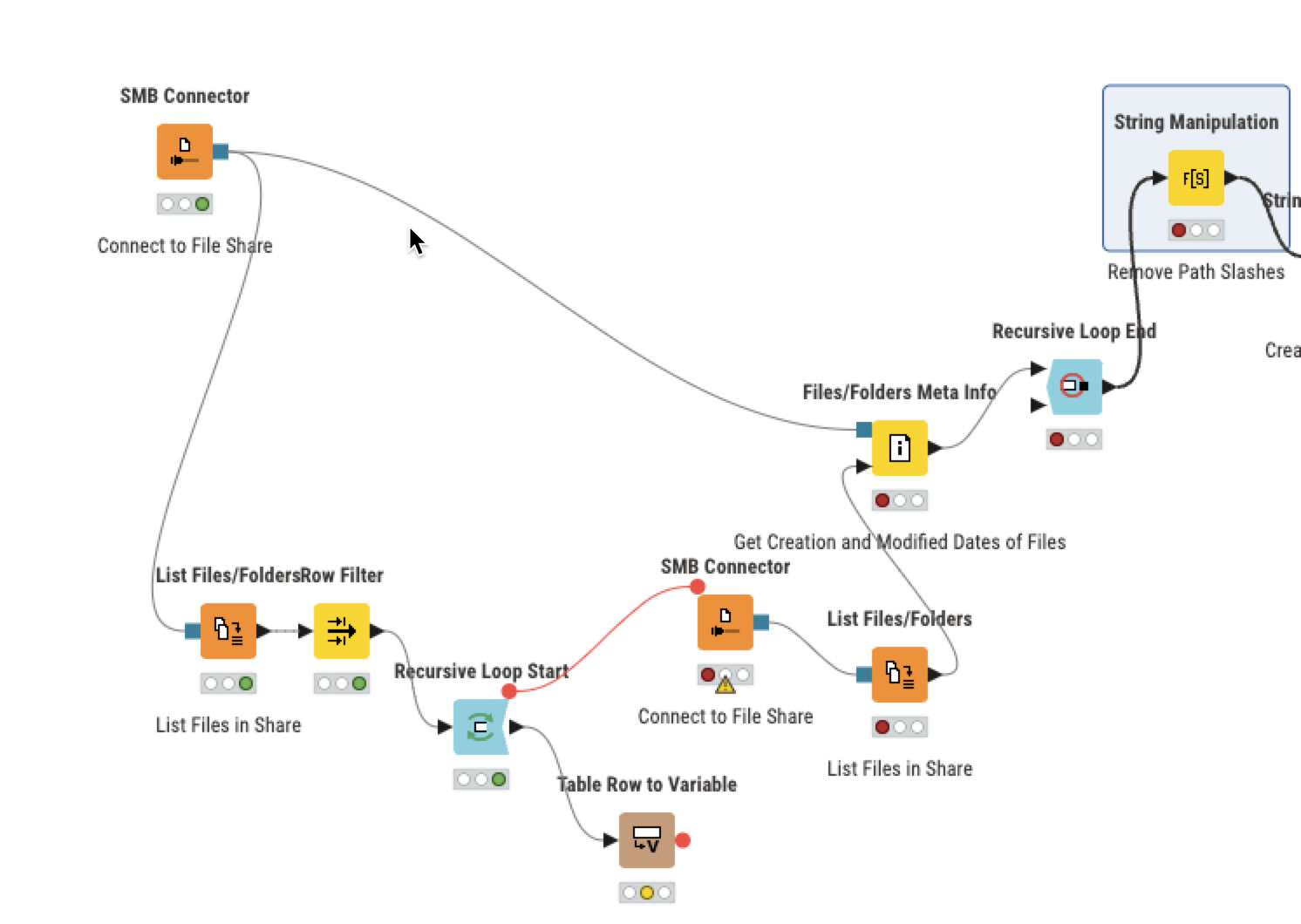
So I’m using SMB Connector to the List Files/Folders node to scan for all the files in a subfolder. However, if I list everything, I run into some really random permission errors. I’d love to just ignore those and keep going, but doesn’t look possible by default. Hence, I’m looking at a recursive loop to help.
However, I can’t really start a recursive loop before a List Files and Folders node, since there isn’t a connector on the left side of the list files/folders node. So I tried to use it after the list files/folders node and then before a files/folders meta info node. So it woudl in theory loop through each folder and pull the metadata.
So how would you put the List Files/Folders into a recursive loop?
I thought I was getting somewhere here, but I can’t seem to figure out how to iteratively pass the path to the list folder metadata node.
@AustinScott welcome to come to the KNIME forum. These things: you can always use flow variables to force a connection or an iteration and transport information.
On a general note if you read about loops and catching errors you should be able to combine the necessary information.
More specifically you can for example run a job until it is finished if you do not want to catch and handle errors.
For some reason Knime wont let me drag this component into the editor. I tried dragging to the main editor and also over into nodes. Nothing happens on my Mac OS (tried chrome and safari). I’ve added some other components before, so I know its possible. Not sure what’s going on.
the Administrator of the folder supposedly gave my account more access, so I’m trying to do this without the loop and error handling mentioned above. If it doesn’t work, i’ll be back to try some fo the methods above again. Thank you both for your time!