Good afternoon,
I would like to ask a question about xml to excel conversion.
The purpose is to display several attributes that have the same key.
Here is an example :
For one code 567885 there are two attributes : Blue and Yellow.
When I use the XPath Node I can only choose 4 options :
Single Cell, Collection Cell, Multiple Columns, Mutiple Rows but there is no one which allows me to have Blue, Yellow in one colums.
Did you already see a XML structure which corresponds to something like below and do you think it could affect the conversion of all attributes for one key? :
<attributename=“[Standard] Blue (COLOR)”>A10AD01 ?
Thanks for your answers.
Hi @Eli_Ltv
Welcome to the KNIME community!
Generally speaking, you can either achieve this indeed through wildcard tagnames or extract all attributes first as node cell and then use another XPath query to retrieve the attributes. Whatever works best mainly comes down to what you have in your xml and what your desired output is.
If you could share a (anonymized) xml that reflects your data structure then for sure someone will be able to help you out with a more specific solution 
Hi @ArjenEX ,
Thanks for your quick answer !
I already tried with a second XPath but it seems it is not the good input format.
Here is an example of an XML input (only an extract) :
1234
RED23
BLU46
I would like to obtain in an excel file :
column 1 column 2 column 3
product code color name color code
1234 Red, Blue RED23,BLU46
Thanks a lot,
Eli_Ltv
I’m afraid this won’t help. It’s all down to the xml structure so I would encourage you to share a sample. Moreover, it’s unclear how you go from 1234 to 1234 Red and from RED23 to Blue RED23.
Here is a sample :
<?xml version="1.0" encoding="UTF-16"?>
2013-07-17 13:28.59
2012-07-04 23:49.26
anonyme
1
3
4
2
PRDanonyme
ORGanonyme
22043
MFL2360
Arzneimittelsicherheit@sanofi.com
+49(180)2222010
237528DE-BLIST-824
102
20130705
DE
4
1
6351567.00.00
19990709
102
2
DONTISANIN
DONTISANIN
PACKAGING: BLISTER. PACK SIZE: 40
B06AA11
15.0
LLT
10042674
PHF00009MIG
ADR00048MIG
1
SUB22009
1
50
1
[U]{FIP}
1
1
1{TABLET}
2
SUB12098MIG
2
SUB12133MIG
2
SUB12150MIG
2
SUB12507MIG
2
SUB12527MIG
2
SUB12528MIG
2
SUB12600MIG
2
SUB12603MIG
2
SUB12611MIG
2
SUB15934MIG
2
SUB15984MIG
2
SUB16368MIG
2
SUB20831
ATT45384
Exported 2022-05-23 16:14.24 Version 3/4 Created 2013-07-17 13:28.59
medicinal product authorised for the treatment in children
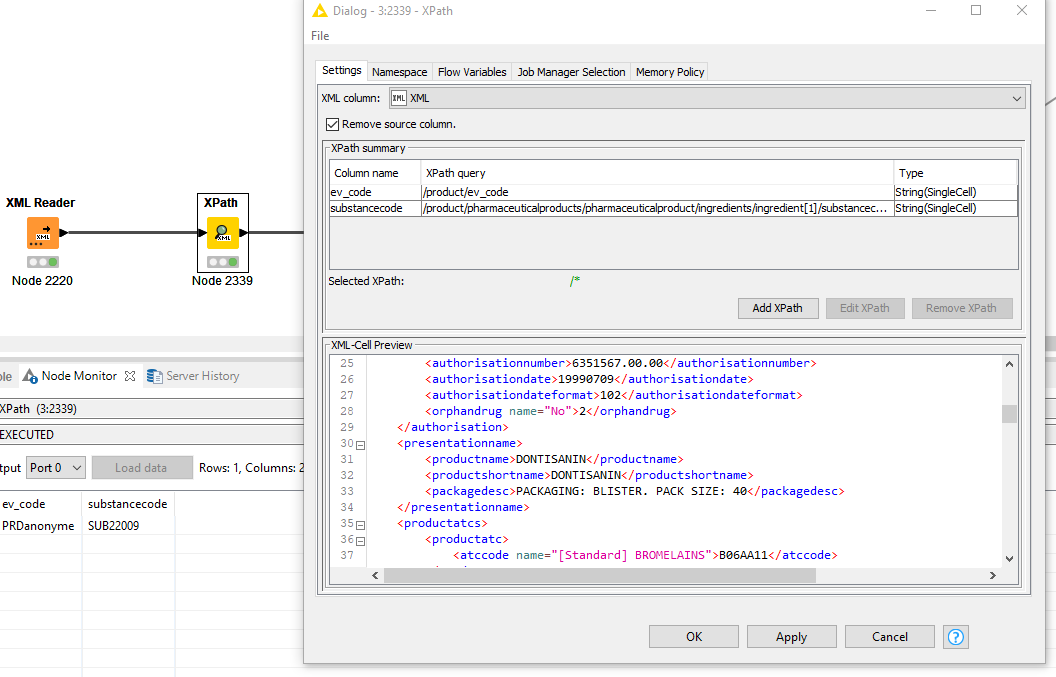
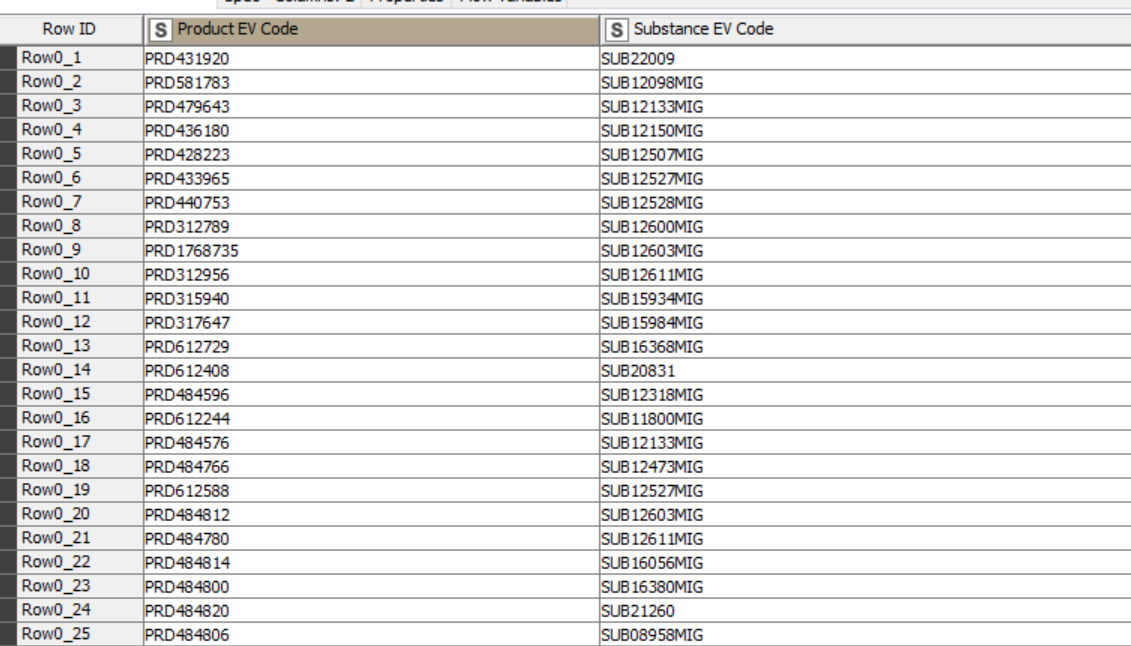
As you can see , I highlighted the Ingredient Role which is an Active Ingredient and an Excipient. For each PRD (a product identifier) , you can have many Ingredients roles. When I use the XPath node I only have :
PRDanonyme Active Ingredient
I would like to have
PRDanonyme Active Ingredient, Excipient
Thanks,
These two elements are in in this attached file :
xml sample.docx (14.8 KB)
ingredientrole name=“Active Ingredient”>1/ingredientrole>
ingredientrole name=“Excipient”>2/ingredientrole>
Is this what you are looking for? @Eli_Ltv
Thank you for your answer !
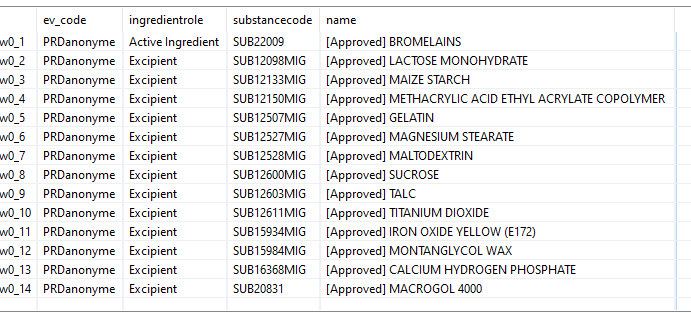
I am looking for :
w0_1 PRD anonyme Active Substance, Excipient SUB22009
With Active Sustance and Excipient in the same column .
Then I guess you’re looking for the substancecode where ingredientrole = 1.
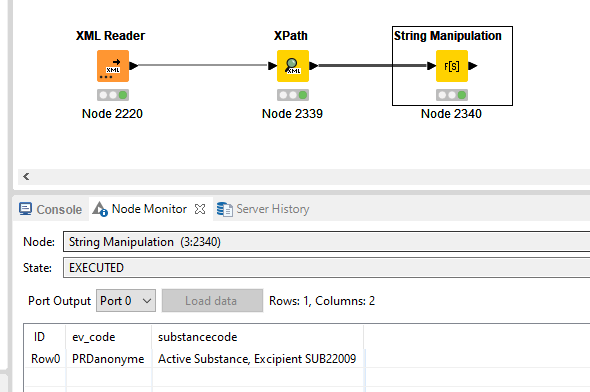
Query it with
/product/pharmaceuticalproducts/pharmaceuticalproduct/ingredients/ingredient[1]/substancecode and then with a String Manipulation node do join("Active Substance, Excipient ",$substancecode$)
Tip: whenever posting a question like this, please include your expected output in table format. It avoids this back and forth and takes away a lot of confusion and time wasted
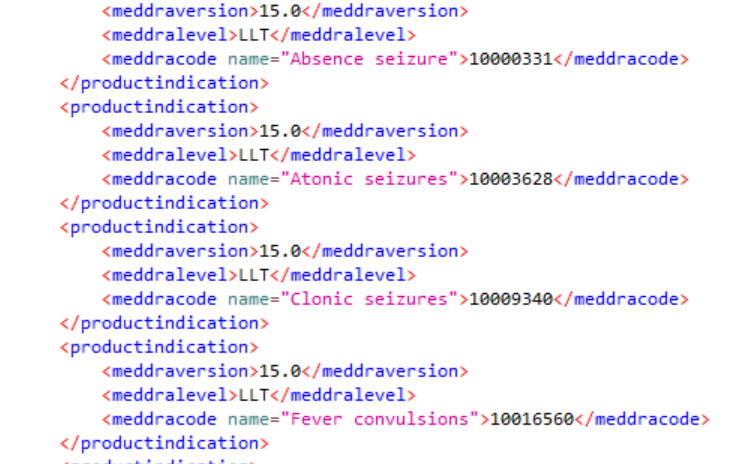
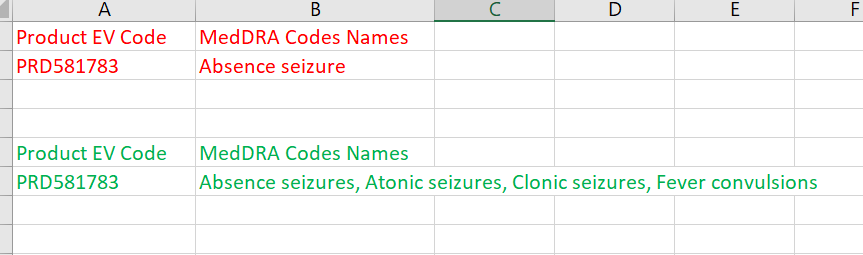
For PRD581783 there are different MedDRA names (file attached) :
What I have is in red and I would like what is in green :
Thanks,
Can be achieved with using wildcards and potentially groupBy if required.
For example, if you take the queries that would be required to retrieve all values individually, something like:
/product/pharmaceuticalproducts/pharmaceuticalproduct/ingredients/ingredient[1]/substancecode/@name
/product/pharmaceuticalproducts/pharmaceuticalproduct/ingredients/ingredient[2]/substancecode/@name
/product/pharmaceuticalproducts/pharmaceuticalproduct/ingredients/ingredient[3]/substancecode/@name
then change the item number to a wildcard and it will retrieve all records.
/product/pharmaceuticalproducts/pharmaceuticalproduct/ingredients/ingredient[*]/substancecode/@name
Even when I use /product/pharmaceuticalproducts/pharmaceuticalproduct/ingredients/ingredient[*]/substancecode/@name I obtain :
Thanks,