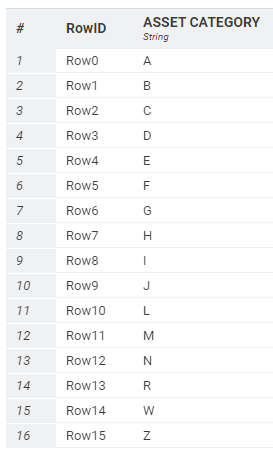
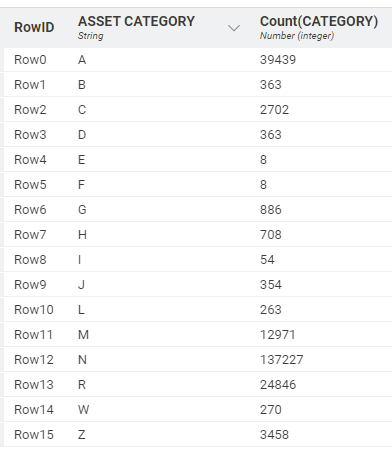
I have an asset database with over 200,000 assets. Each asset is assigned to one of the 16 categories below.
I need to extract a file for each category so I can do further testing. I could do this with row filter nodes but that would require 16 separate nodes. Is there a better / more efficient way to do this?
Also, the category list is subject to change (i.e. some categories could be removed or new ones added from one period to the next) so if this could be automated to take this into account that would be great (would save having to manually check categories going forward)
Thanks for the prompt response, unfortunately this is not quite what I was after.
The master file I will be extracting the data from has over 200,000 records. I need to filter the records for each asset category (see updated list with count)
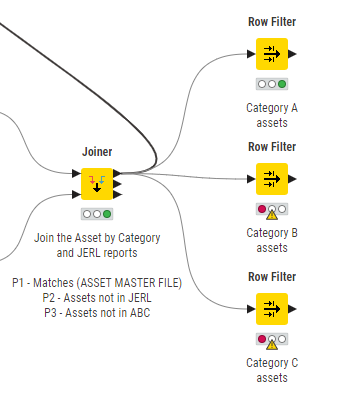
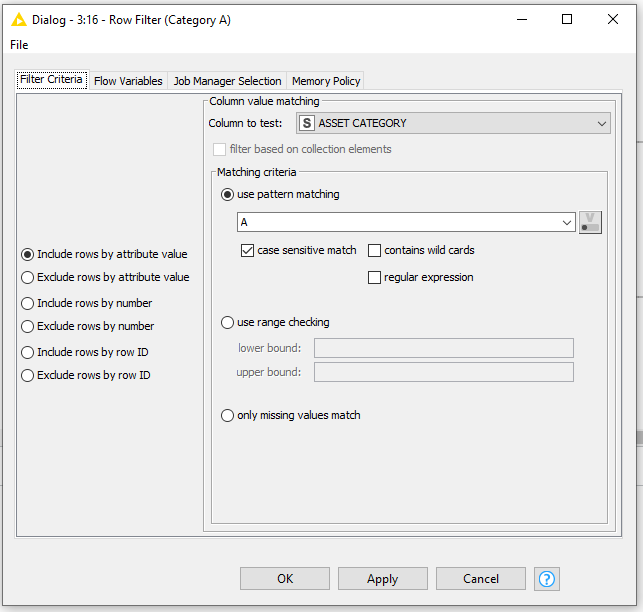
Based on the above table, I would need to use 16 row filter nodes to extract the data for each asset category (e.g. row filter node 1 would extract the 39,439 category A assets, row filter node 2 would extract the 363 category B assets, row filter node 3 would extract the 2,702 category C assets and so on).
I was hoping that this could be done, perhaps using loops rather than having to configure and execute 16 individual row filter nodes.
Thank you for the quick response. Unfortunately, this is not quite what I was after but it has given me the idea of using a GroupBy node as an input to a Reference Row Filter node (if indeed that can be done?) as a means of making this usable no matter whether the number of categories changes from one period to the next.
Hopefully my reply to @denisfi makes my query more clear.
Hi @fostc80857 , yes you are exactly right that you can do this using a loop, and to achieve what you are asking you will need to use a loop.
I haven’t got KNIME in front of me at the moment and am just answering on my mobile but give this a go…
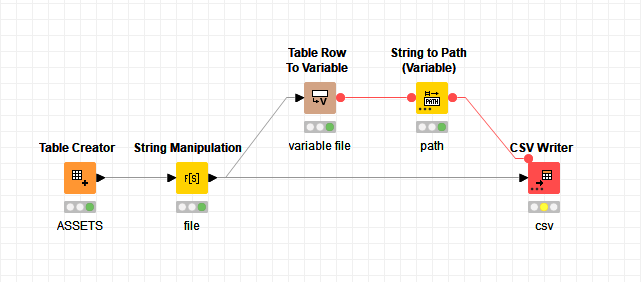
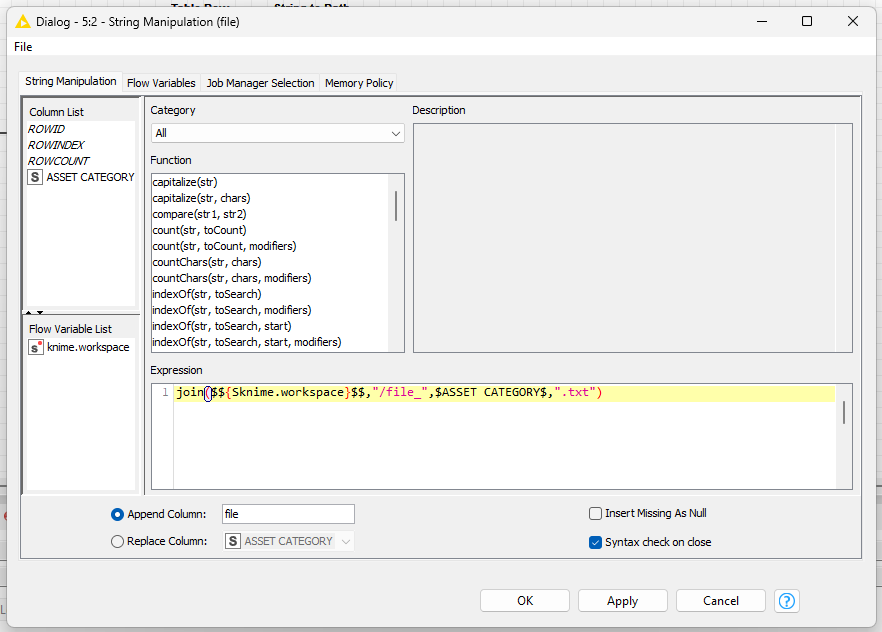
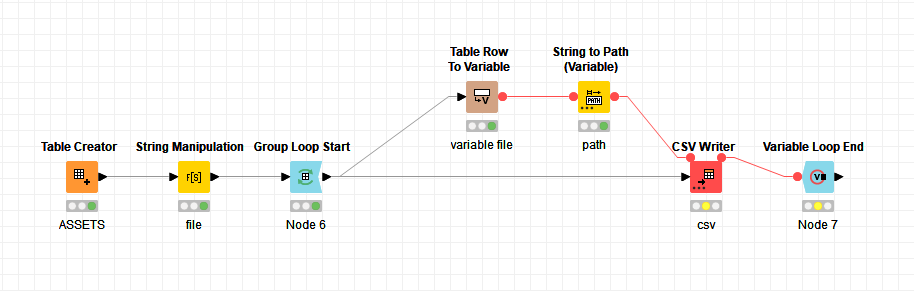
In order to wruie to a different file for each asset category, use @denisfi 's workflow, but add a Group Loop Start node before the String Manipulation node, and select Asset Category as the group in the Group Loop Start node configuration…
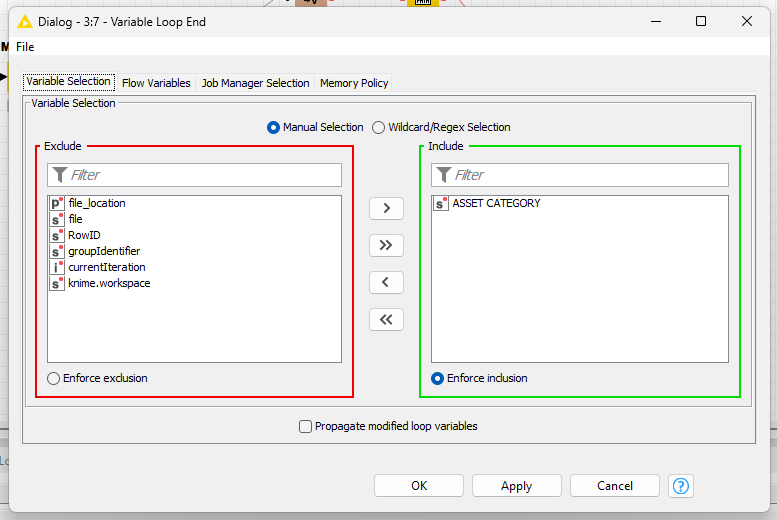
Then add a Variable Loop End node after the CSV Writer, and attach the flow variable out port from the CSV Writer to it.
If I haven’t missed anything, that should give you something like the result you need. Adjust the file name generated in the String Manipulation node to your required destination.
Perhaps it is my poor use of syntax but I don’t want to write to different files.
I want to row filter on each asset category so that I have 16 separate files upon which I can do further analysis (each asset category will have different test rules applied). For example the workflow below gives me three separate files for assets with category A, B and C. Other nodes would then be applied to each output of the row filter nodes.
Hi @fostc80857 , OK the misunderstanding is because of your use of the word “files”. With KNIME the output from nodes is generally referred to as tables. When you say you want “16 separate files” I took that to mean that you want to write to 16 separate files…
If you need different nodes hanging off each row filter so that you can analyse each category in different ways then a loop won’t be the solution. A loop would work if you want to transform all your categories on a one at a time basis and the transformations are the same for each. Typically though a loop isn’t an ideal construct for performing manual analysis within each iteration of a loop. You can step through, but it is a little painful and you cannot see the output from more than one at any given time.
As it stands with how you have described it, I cannot currently think of an alternative to the individual row filters that you are using. Ideally KNIME would have some form of “grouped row splitter” where a column value would define the rows to be directed to each of a variable number of output ports similar to the way a case switch acts with a flow variable but unfortunately it doesn’t.
I would recommend the row splitter instead of filter for things like this, as it ensures that you don’t miss a category and highlights when new ones are added in the future which need attention. It doesn’t save you any nodes though…
It would be cool to have a “Group Row Splitter” node that auto added enough individual outputs for each grouping. I would certainly use it!
to build a dashboard (example1, example2, article) and have something like 3 or 6 filtered tables in parallel to see them
or pack your further explorations in a component that you then copy and re-use but you would only have to edit it once and the update the other ones to keep them in sync
I have a code option - not ideal but could reduce workflow complexity if you know some python. On the Python Script you can manually add multiple output ports. So you’d give it 16 output ports
The a snippet of code such as this could determine the ports for each of the rows, based on Asset Category:
import knime.scripting.io as knio
import pandas as pd


# Sample input data with mapping
mapping_data = {
    "Asset Category": ["A", "B", "C", "D", "E", "F", "G", "H", "I", "J", "K", "L", "M", "N", "O", "P"],
    "output_table": [0, 1, 2, 3, 4, 5, 6, 7, 8, 9, 10, 11, 12, 13, 14, 15]
}

mapping_df = pd.DataFrame(mapping_data)

# Sample input asset data
asset_df = knio.input_tables[0].to_pandas()

# Merge the asset data with the mapping data to get the corresponding output_table values
merged_df = asset_df.merge(mapping_df, on="Asset Category")

# Fill the output_tables based on merged data
for i in range(16):
    output_table = knio.output_tables[i]
    output_table_data = merged_df[merged_df["output_table"] == i]

    # Append the data to the existing output_table DataFrame
    output_table = pd.concat([output_table, output_table_data], ignore_index=True)
    knio.output_tables[i] = knio.Table.from_pandas(output_table)
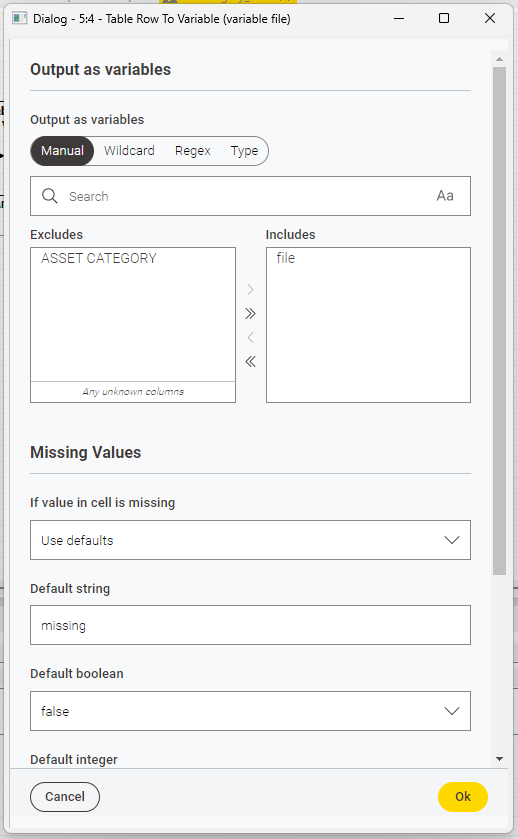
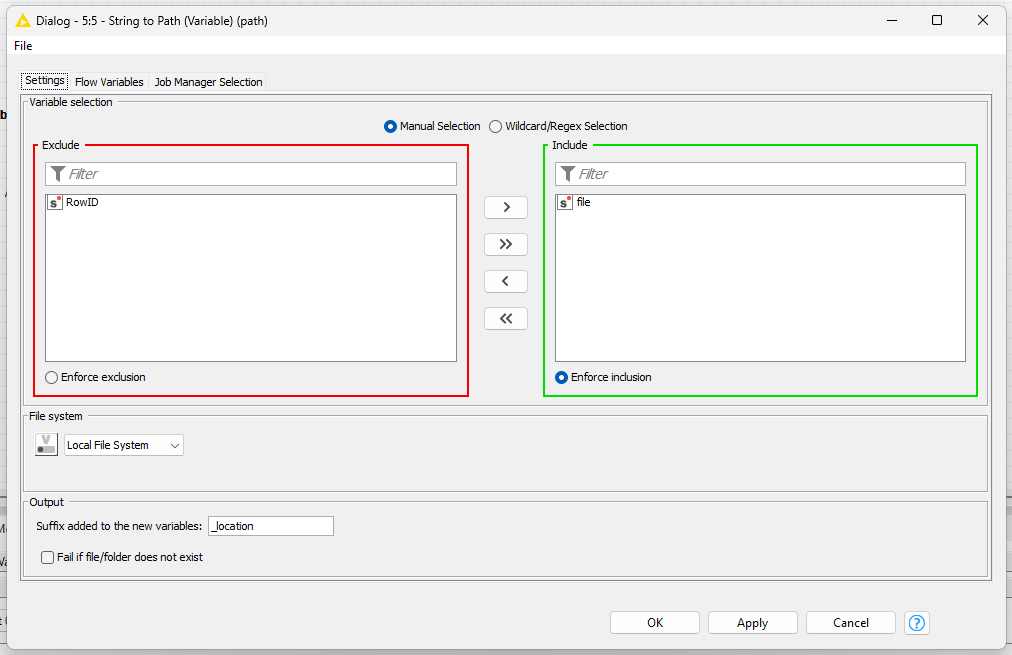
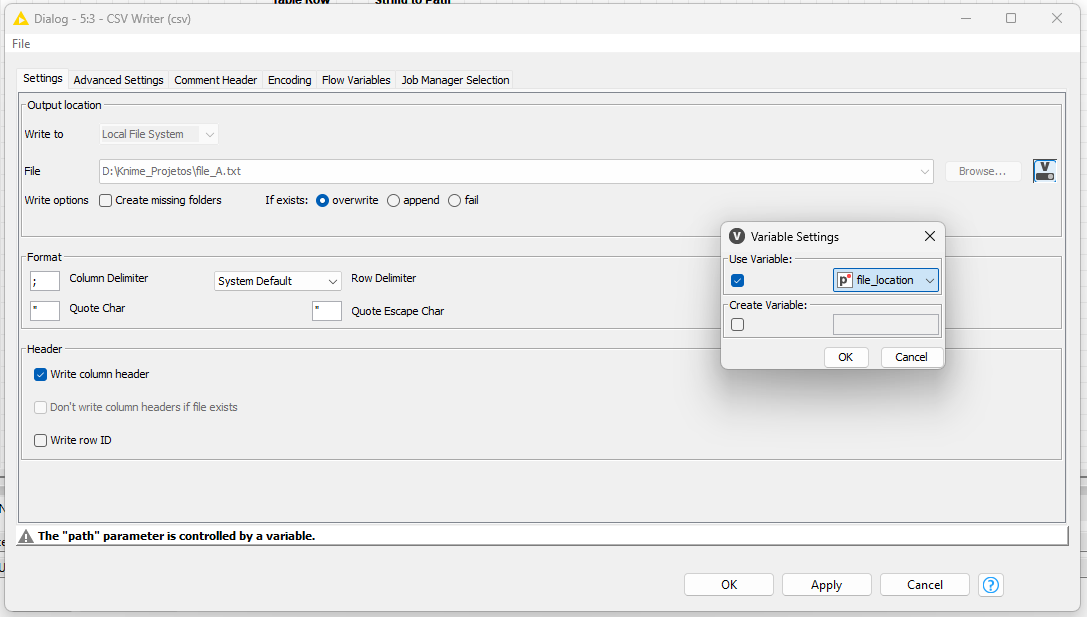
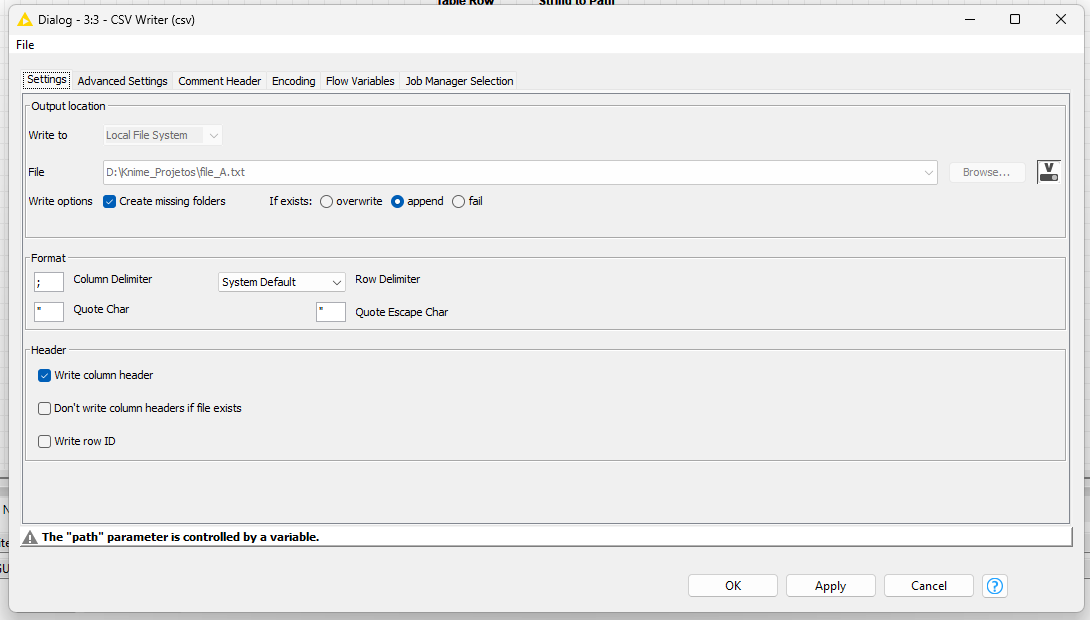
In my example, I set a file path to be used as “filter” for the file export. If you use the groupby loop node, you can use it to path wich file will receive the data throw a flow variable, keep it simple. I just pass an idea for the solution with less nodes to use it.
Hope that this simple example help you will all 200k lines!
What about wrapping this in a component, having the user select the target column, then use duplicate row filter to generate a unique values, then turn it into a string version of the list, and drop it into the code, and drop in the output list similarly via manipulating a count into the output number assignment, then bring the code in via flow variable?
Edit- But then how would you get the component outputs to be dynamic… I thought it was a 100% dynamic solution for a second there.
Yeah @iCFO , it would be great to be dynamic in the number of ports. If only! There are some things that could be done to improve it (eg target column/filter) but alas dynamic port allocation eludes me (for now… )
Mind you… I guess if we had a component with say 30 (!!) output ports … There’s no reason why we have to use all of them and it ought to cover must use cases… that’s got me thinking…
Or a component that preps the code and just outputs the flow variable for a Python node to directly have dynamic outputs? Not all in one, but pretty darn clean!




 that’s got me thinking…
