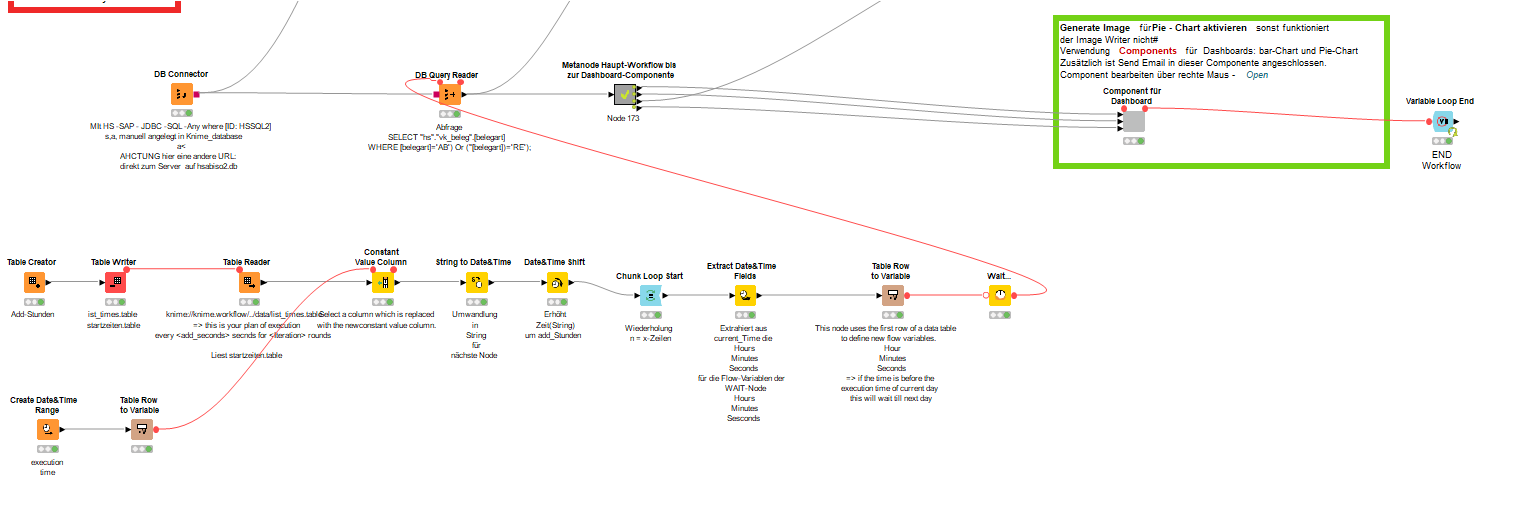
Another interesting function could be this component by @gab1one that would wait for a file to change. In order to bring this into a ‘looping system’ - some changes might be necessary. In my example I tried to do a small such system with generic KNIME nodes.
Have to figure that out yourself. Only really used one of the timed-nodes once. My comment bascially was: I know these exist, have a look maybe they help with your problem.
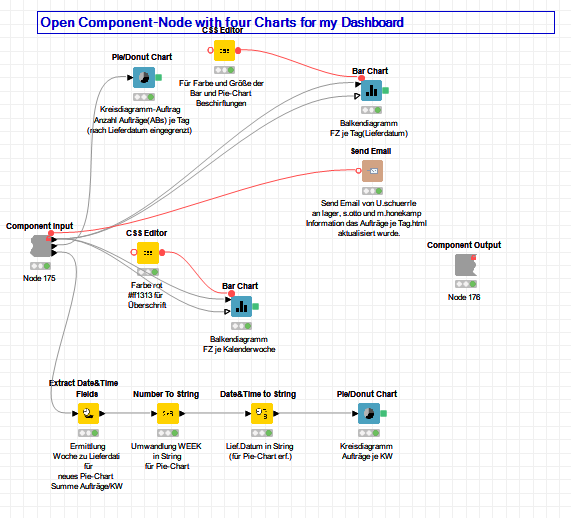
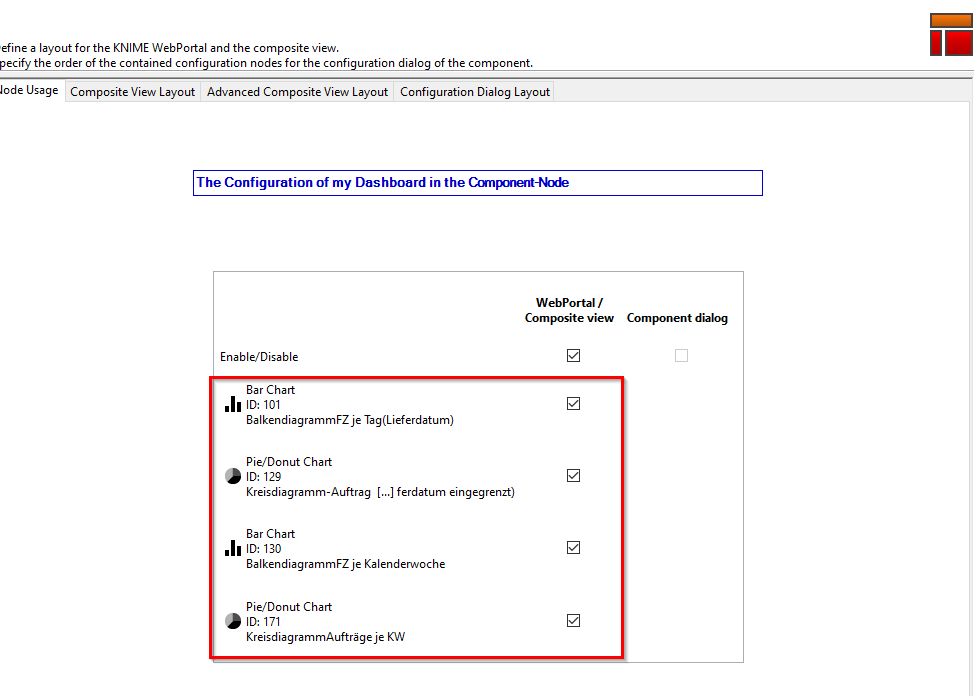
I have built a workflow using @mlauber71 example for the WAIT NODE. I disconnected temporary the WAIT-NODE which waits for a file change (batch file / Windows task scheduling). The new workflow works, which means the DB query NODE restarts every time. Everything works so far, except for the output of the dashboard which is generated by the component node. I used to save the dashboard graphic manually as a *. html file ona Server drive after Execute & Open the view, which the employees can
then access. I didn’t find anything in the dashboard configuration where you can save this automatically.
@USCHUKN1ME it is more like 2,574 EUR in german notation. More like two and a half Euros per hour …
And the actual number very much depends on how powerful the AWS server would be, if shared ressources would be OK for you (not shared data of course) or if you would need your own dedicated super-CPU with super-fast SSD …
We are at the beginning.
And the workflow described here is almost the first where automation is needed - without having a dient PC (my) constantly switched on.
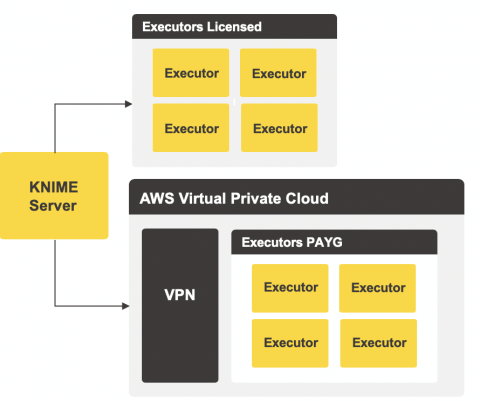
I am not aware of a detailed explanation but I use the KNIME server in an on site setting. But maybe @Iris or @ScottF can weight in and give some hints.
And I think @armingrudd has some experience with KNIME and AWS.
From what I see there is a free trial period so you might just set it up.
@knime_admin team
I would be interested in detailed Instructions for setting up Knime Server in Azure. So if there is any video,… doing this then please let me know
thanks and best



 - sorry for that mistake